Factory & warehouse / WORKED EXAMPLE
Factory flow
Coordinate AMRs and forklifts around packing stations and a shared aisle.
Free to open, edit and save a file. Pro to run your changes. Opening a project asks before replacing your current space.
Which change helps this line meet its shift target?
- Who uses it
- Production engineers and factory managers
- How it can create value
- Compare transport capacity, packing capacity and the layout before moving equipment. Use the modeled bottleneck to choose an on-site trial and check whether overtime or extra equipment could be avoided.
- Bring your site data
- Work arriving during the shift, measured process times, vehicle capacity, aisle rules and a completion target. Breakdowns and physical vehicle avoidance are outside this example.
01 / SETUP
A model you can inspect.
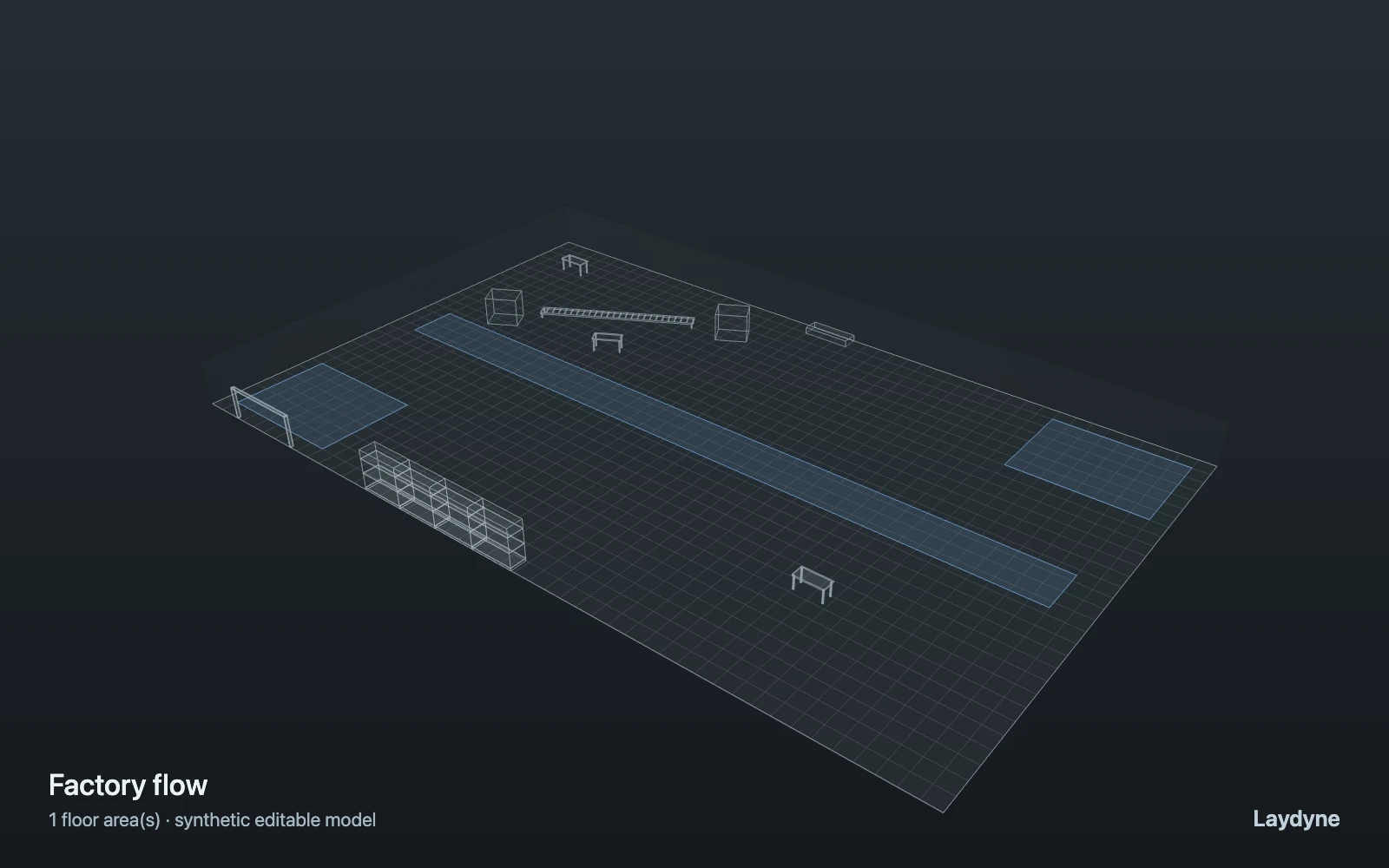
In the factory template, a pool of three AMRs carries each order pallet from station 1 to station 2 (one packing slot) to station 3, passing under the raised conveyor; two forklifts bring trucks from receiving to station 1 and take shipments from station 3 to shipping. AMRs and forklifts share the main aisle, which holds a limited number at once. Capacities and FIFO queues only: no collisions between vehicles.
Change one thing
Compare fleet sizes or aisle capacity at the same order rate.
Read the consequence
Station and aisle queues, distance and vehicle utilization.
View the starting inputs
- Order interval (s)
- 90
- Load time (s)
- 20
- Packing time (s)
- 45
- Trucks per hour
- 8
- Shipment interval (s)
- 600
- Vehicles in the aisle
- 1
Agent counts, routes and resource definitions are also saved in the project JSON.
02 / ACTUAL ENGINE OUTPUT
A reproducible starting result.
One run, seed 1. Observation window 135 minutes.
| Scenario | Completed | Mean wait | Mean cycle | Blocked |
|---|---|---|---|---|
| Original scenario | 101 | 15s | 1m 57s | 0 |
Waiting averages cover arrived jobs, including unfinished waits; cycle averages cover completed jobs only. These are synthetic calculations, not measured store performance, revenue or a safety assessment.
Engine, status and output notes
process-des-2.2.0. Status: Original scenario: completed. “Completed” is the engine run status; check the blocked column for unreachable jobs.
- Timeline output is limited to 200 jobs and 500 entries. Aggregate metrics include all jobs.
Engine inputs and saved comparisons stay with the downloaded project. Any limited trace affects playback details, not aggregate metrics.
03 / MAKE IT YOURS
Plan in 2D. Inspect in 3D. Keep the whole project.
- Open and adjust. Switch between 2D and 3D; edit a part, a floor or an input. Both views describe the same model.
- Connect your agent for free. Sign in, choose Connect AI and connect Codex or Claude Code. Ask it to inspect the example, edit the layout and check a route.
- Save a checkpoint. Export → Project JSON, or ask the agent to export the complete project. Import it later to restore floors, scenarios, saved comparisons and the selected view.
- Compare with Pro. Run an edited scenario or compare frozen options under the same demand. Pro also adds built-in AI and manual cloud saving.