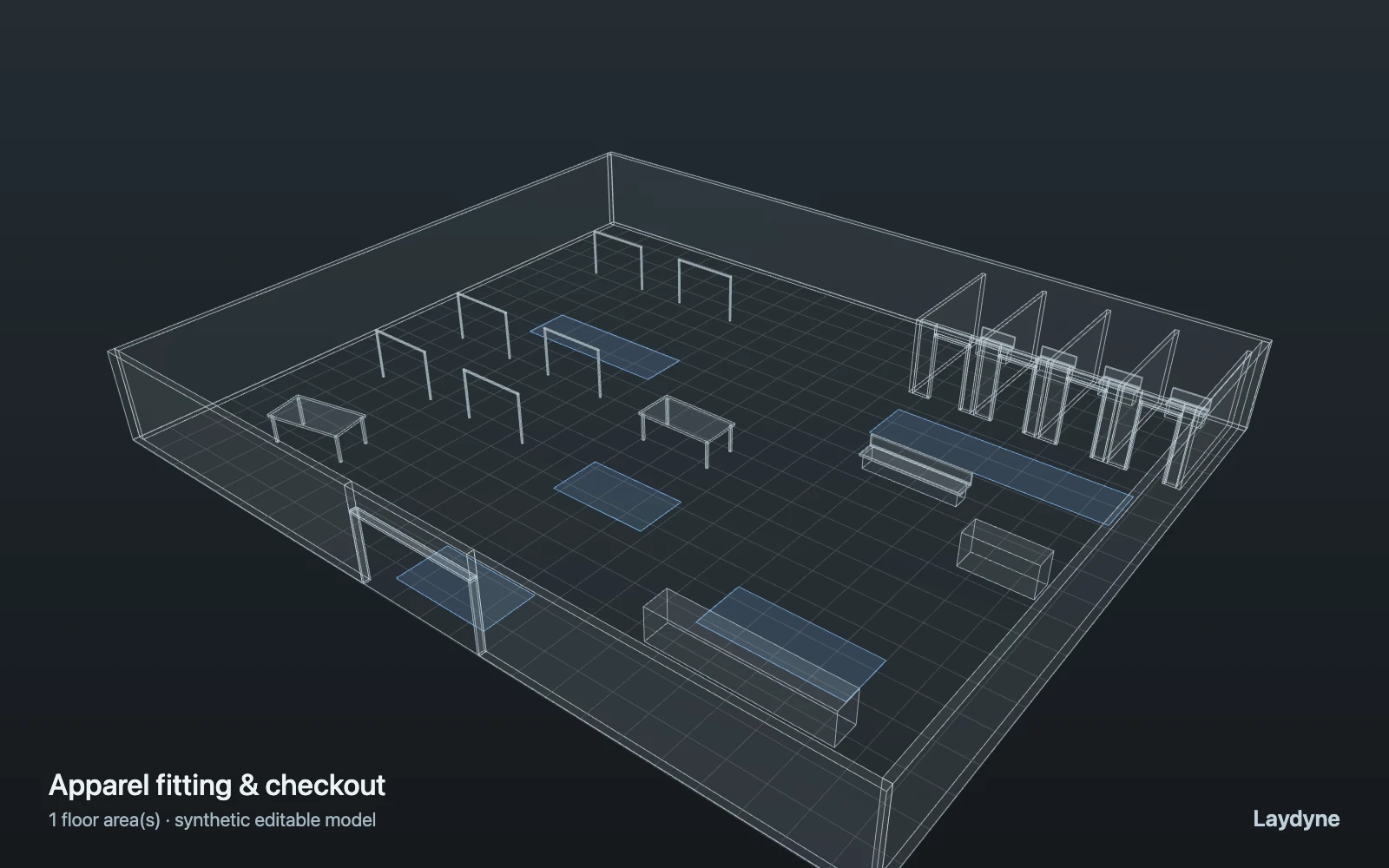
Apparel & retail operations
Edit an apparel store in 2D and 3D. Compare fitting-room and checkout capacities, or test replenishment from a mezzanine stockroom with the same workload.
Tell AI what happens in your space and what you want to change. These examples show the requests you can make, the model AI can build, and the results you can compare. Adapt the layout and supported process steps to your own operation through conversation.
Browse all 12 editable examples, including cafés, building deliveries and inspection →
Illustrated workflows. Explore each example for modelled results.
Edit an apparel store in 2D and 3D. Compare fitting-room and checkout capacities, or test replenishment from a mezzanine stockroom with the same workload.
Describe your warehouse to AI, then ask it to compare mover counts, packing capacity, and transport queues in the same spatial model.
Describe how visitors arrive and check in. Let AI build the venue model and compare desk capacity, service times, and modelled queues.
Ask AI to build your office layout, check robot access, and compare furniture arrangements or fleet sizes with visible assumptions.
Ask AI to add a service step, a delivery route, a shared machine, or a rework branch. It can combine supported arrivals, movement, tasks, resources, and queues into a custom scenario. Inspect the space in 2D or 3D, then describe the next change.
Sign up free and connect Codex, Claude Code, or another MCP client. Create 2D/3D spaces, check routes, and prepare custom workflows. Ask your agent to export and restore project JSON using files you keep yourself. Your AI provider’s fees are separate.
Connect your AIWith Pro, use the built-in assistant to draft a space from your brief or floor plan, change the layout, and compare simulation options in the same conversation. Review the assumptions and ask for the next change.
Explore AI & simulationSimulation runs and comparisons require Pro, including through MCP. See Account for current Pro pricing and availability.
AI builds and changes the model; Laydyne’s calculation engines produce the results. Cleaning and two-station transport use the dedicated spatial engine; jobs, resources, and cross-floor movement use the process engine. Keep the input, seed, and engine version with any result you share.
Results come from a simplified, deterministic model: robots are circles moving at constant speed, and the same input always gives the same result. It does not model collisions or avoidance between robots or people (only capacities and queues), crowd physics, elevator dispatch, turning, charging and batteries, or cleaning quality. Dimensions read from photos and drawings are assumptions to check against measurements. It is for exploring options, not a calibrated prediction of a real site.
For venue flow, capacity and FIFO queues are modelled, but crowd physics and evacuation safety are not. Real drawings, arrival rates, dimensions, costs, and operating rules need independent confirmation.