Home / WORKED EXAMPLE
Home chores
Compare a helper and a vacuum robot in a home with stairs.
Free to open, edit and save a file. Pro to run your changes. Opening a project asks before replacing your current space.
Can this robot reach the task at all?
- Who uses it
- Home robot evaluators · capability tutorial
- How it can create value
- Check an obvious capability mismatch before a home trial: the helper can use stairs and the robot cannot. This is a reachability tutorial, not a cleaning-performance or financial comparison.
- Bring your site data
- Floor geometry and the robot’s allowed connection types. Use a separate cleaning study and real device data to assess coverage, labour or purchase value.
01 / SETUP
A model you can inspect.
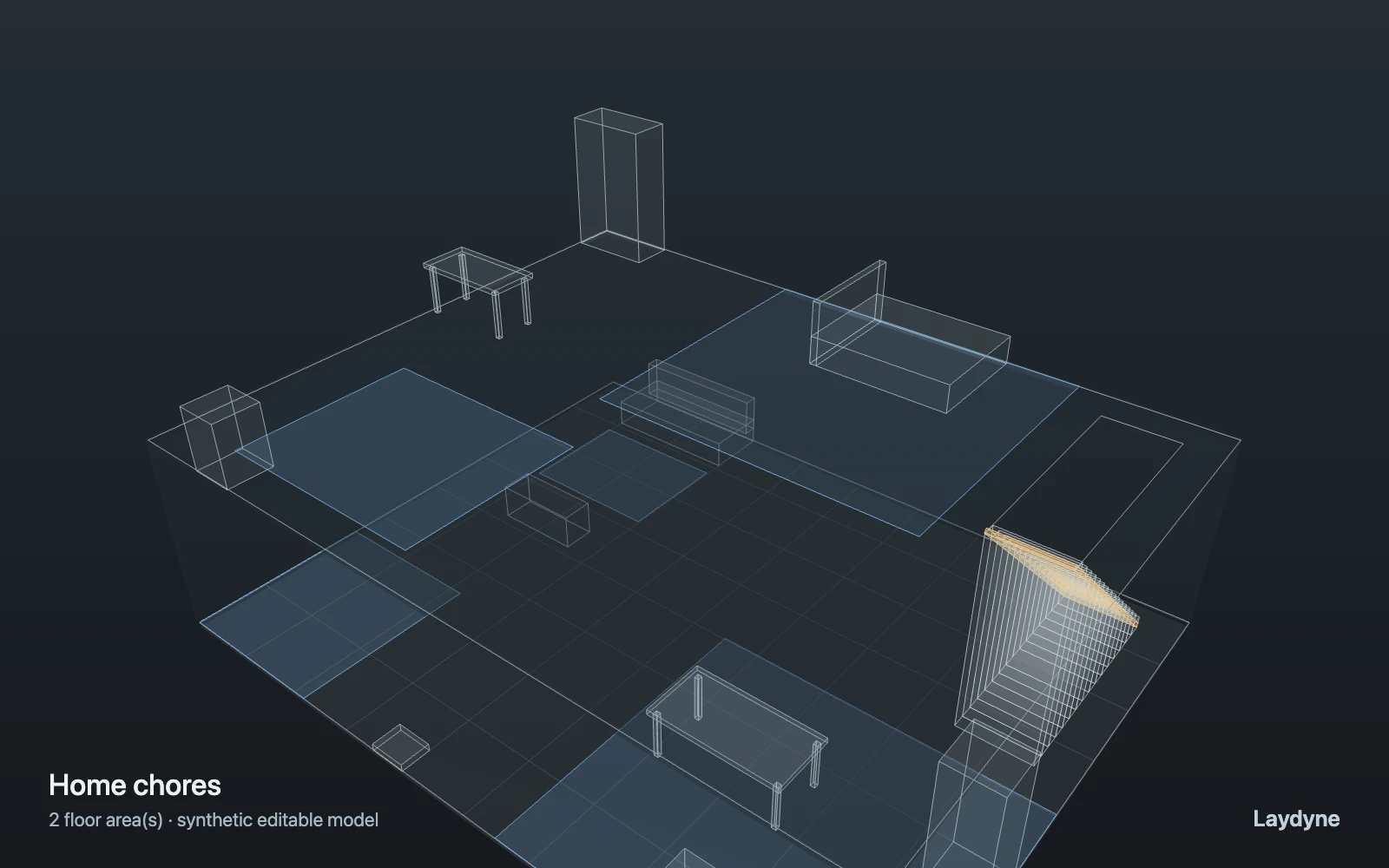
In the two-storey home template, a robot vacuum and a helper each work in the kitchen and then the laundry upstairs. The vacuum may use elevators only, and the home has stairs: its job stops as blocked (link-not-allowed) after the kitchen, and the result says so. The helper takes the stairs. Work is a timed step, not cleaning coverage.
Change one thing
Adjust kitchen and laundry work times, then inspect each route.
Read the consequence
The helper completes; the robot is intentionally blocked by stairs. Work is timed, not cleaning coverage.
View the starting inputs
- Kitchen work (s)
- 300
- Laundry work (s)
- 120
Agent counts, routes and resource definitions are also saved in the project JSON.
02 / ACTUAL ENGINE OUTPUT
A reproducible starting result.
One run, seed 0. Observation window 60 minutes.
| Scenario | Completed | Mean wait | Mean cycle | Blocked |
|---|---|---|---|---|
| Original scenario | 1 | 0s | 7m 45s | 1 |
Waiting averages cover arrived jobs, including unfinished waits; cycle averages cover completed jobs only. These are synthetic calculations, not measured store performance, revenue or a safety assessment.
Engine, status and output notes
process-des-2.2.0. Status: Original scenario: completed. “Completed” is the engine run status; check the blocked column for unreachable jobs.
- Job robot:1 cannot reach tag:laundry: its agent class may not use connection stairs-1-2. It stopped at step 0 of process laundry-task and keeps its resources.
Engine inputs and saved comparisons stay with the downloaded project. Any limited trace affects playback details, not aggregate metrics.
03 / MAKE IT YOURS
Plan in 2D. Inspect in 3D. Keep the whole project.
- Open and adjust. Switch between 2D and 3D; edit a part, a floor or an input. Both views describe the same model.
- Connect your agent for free. Sign in, choose Connect AI and connect Codex or Claude Code. Ask it to inspect the example, edit the layout and check a route.
- Save a checkpoint. Export → Project JSON, or ask the agent to export the complete project. Import it later to restore floors, scenarios, saved comparisons and the selected view.
- Compare with Pro. Run an edited scenario or compare frozen options under the same demand. Pro also adds built-in AI and manual cloud saving.