Let AI set up your office cleaning comparison
Give AI your office layout and ask whether a cleaning robot can reach each work area. It can build a simplified space, check narrow passages, and move furniture on request. With Pro, ask it to compare robot counts and cleaning coverage, keeping the inputs available for you to check.
Start with this conversation.
Example requests for your MCP agent or the built-in Pro assistant. Review the inputs before running a simulation.
Build the model
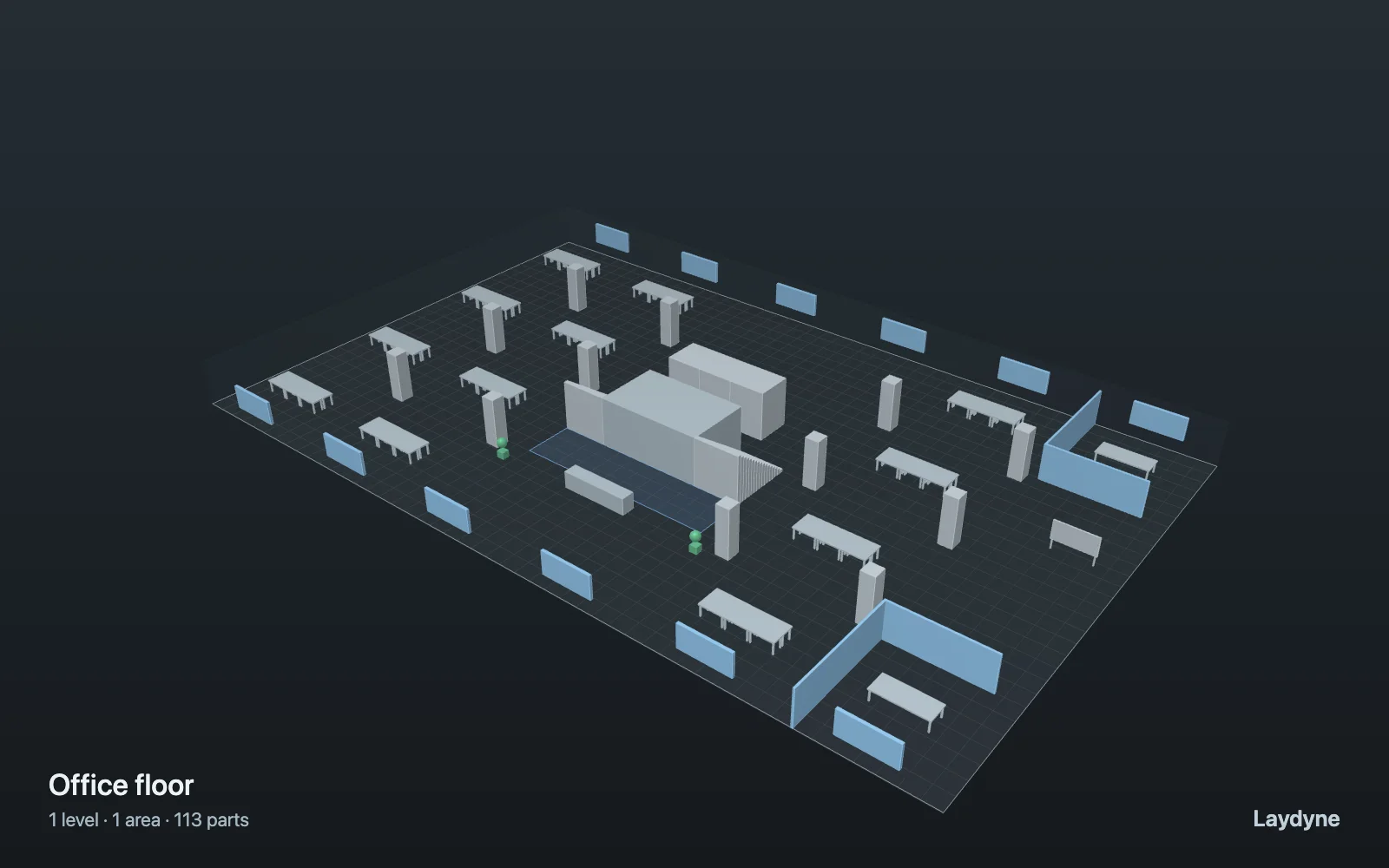
Open the Office floor sample and show me the doors, aisles, and robot dock. Check which areas are reachable and list the dimensions I should measure on site.
Compare with Pro
Compare one cleaning robot with two on this floor. Keep robot size, speed, cleaning width, and run duration fixed. Show reachable coverage and completion time.
Adapt the workflow
Move the desk group nearest the dock to widen the aisle, while keeping the doors clear. Check the route again and tell me which dimensions changed.
MCP editing and scenario preparation are free with an account. Simulation and comparisons require Pro; see Account for current pricing and availability. These are suggested requests, not a recorded AI session.
Give AI the inputs that matter
Ask AI to place desks, partitions, walls, doors, and a dock on a single floor area, then adjust the furniture through conversation. Inspect the same model in 2D or 3D. Floor-plan dimensions inferred from an image remain assumptions until checked.
- Set the floor outline, obstacles, door openings, and dock position. Check the route from the dock to the areas you expect to clean.
- Enter robot radius, travel speed, cleaning width, run duration, and a fleet size from one to eight.
- If screening deployment cost, provide actual labor and robot cost assumptions; missing costs stay missing rather than being guessed.
Ask AI to compare the options
- Run the cleaning model, then inspect reachable coverage and the traced path.
- Change the fleet size or layout while keeping the other conditions fixed. Compare the result with the original.
- Measure any uncertain door width and equipment dimensions before treating the comparison as a site proposal.
Read the result
The model can report:
- Reachable cleaning coverage and the route under the modelled geometry.
- Completion time or progress during the selected run duration.
- A cost screening comparison when the required financial inputs have been supplied.
A better coverage or time result is a modelled difference, not a verified reduction in paid labor. Freed task hours and actual expenditure reduction are different outcomes. Test the chosen configuration with real equipment and floor conditions.
What this model does not establish
The cleaning model uses one floor at a time. It does not model cleaning quality, floor materials, battery charging, failures, turns, or traffic interactions between robots and people.
Read the model and workflow manual before treating a result as evidence for a real site.