Refilling the floor (Saturday)
See how long fixtures stay short on a Saturday with one or two stock assistants.
No sign-in needed: open it in Studio, inspect the saved results and edit in 2D and 3D. Sign in to connect your own AI; project files remain free. Check Account for execution access. Opening asks before replacing your current space.
Is one stock assistant enough on a Saturday, or do fixtures stay short too long without a second?
- Who uses it
- Store managers and the chain’s retail operations team planning weekend rotas
- How it can create value
- Compare one and two assistants on the same gaps before setting the weekend rota, and see how long fixtures stay short with each. Weigh the shorter gaps against the extra paid hours; fuller fixtures alone do not establish extra sales.
- Bring your site data
- How often fixtures run short by hour (from sell-through or gap checks), measured pick and fill times, the walking routes and the goods lift. Stock levels, sizes sold out and lost sales are not modelled.
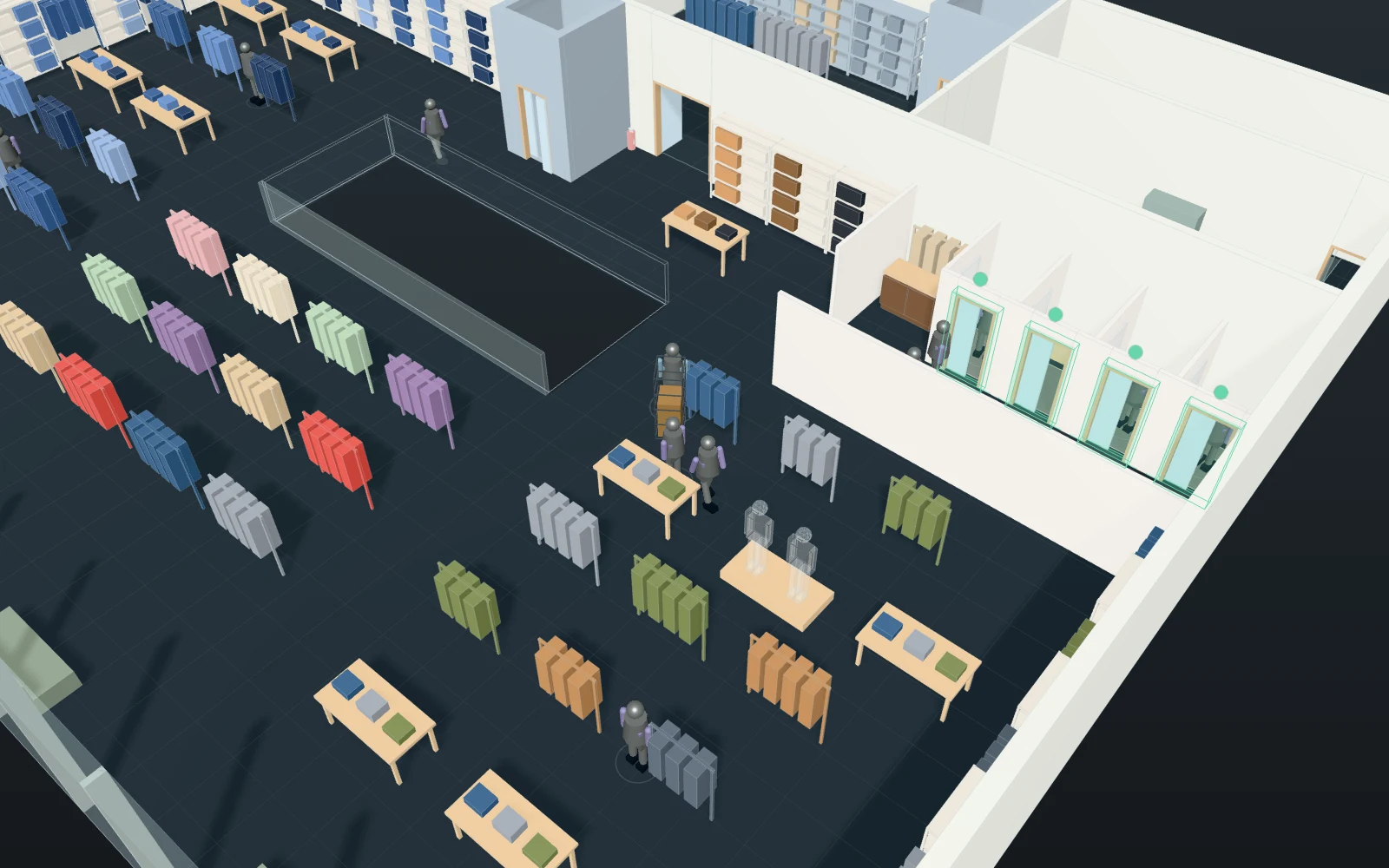
A model you can inspect.
Two hours of a Saturday in the same two-floor store: fixtures run short at random (poisson, 8 gaps an hour on average; 35% women's, 15% accessories, 30% men's, 20% denim) and each gap waits for a free stock assistant. The assistant picks the sizes in the ground-floor stockroom (1–6 minutes), pushes a trolley to the fixture — by the goods lift for the first floor — fills it (2–10 minutes) and walks back to the pick point. The time from a gap to a full fixture is how long that fixture stays short. Shoppers shop at the same time (120 an hour, with 4 fitting rooms a floor and 3 tills open) but do not get in the assistants' way: no crowd physics, no stock levels, no sizes sold out or lost sales.
Change one thing
With the same gaps, add a second stock assistant; or change how many gaps open an hour, or the pick and fill times.
Read the consequence
The time from a gap to a full fixture (how long it stays short), the wait for an assistant, and the assistants' busy share; the goods lift's rides show the first floor's share of the walking.
View the starting inputs
- Shoppers per hour
- 120
- Fixtures running short per hour
- 8
- Typical pick in the stockroom (s)
- 180
- Typical time to fill a fixture (s)
- 300
Agent counts, routes and resource definitions are also saved in the project JSON.
The same demand. A different capacity.
One run, seed 8. Observation window 240 minutes. Arrivals, geometry and the seed set stay the same in every option.
| Scenario | Completed | Mean wait | Mean cycle | Blocked |
|---|---|---|---|---|
| 1 stock assistant | 261 | 1m 11s | 10m 33s | 0 |
| 2 stock assistants | 261 | 31s | 9m 53s | 0 |
Waiting averages cover arrived jobs, including unfinished waits; cycle averages cover completed jobs only. These are synthetic calculations, not measured site performance, revenue or a safety assessment.
Engine, status and output notes
process-des-2.7.0. Status: 1 stock assistant: completed; 2 stock assistants: completed. “Completed” is the engine run status, not success for every job. Check blocked jobs and warnings.
- No engine warnings.
Engine inputs and saved comparisons stay with the saved project. Any limited trace affects playback details, not aggregate metrics.
Plan in 2D. Inspect in 3D. Keep the whole project.
- Open and adjust. Switch between 2D and 3D; edit a part, a floor or an input. Both views describe the same model.
- Connect your agent for free. Sign in, choose Connect AI and connect ChatGPT, Claude, Codex or Claude Code. Ask it to inspect the example, edit the layout and check a route.
- Save a checkpoint. Project → Project file, or ask the agent to export the complete project. Import it later to restore floors, scenarios, saved comparisons and the selected view.
- Compare options. Run new operational comparisons under the same demand. Check Account for execution access, built-in AI and manual cloud-saving limits.