Mall night scrubbing
Size a scrubber fleet for a three-level mall at night: how many robots, and where they fill and drain.
No sign-in needed: open it in Studio, inspect the saved results and edit in 2D and 3D. Sign in to connect your own AI; project files remain free. Check Account for execution access. Opening asks before replacing your current space.
How many scrubber robots finish the common floors before opening, and is one fill & drain point enough?
- Who uses it
- Shopping-centre facility management and its cleaning contractor
- How it can create value
- Compare fleet sizes and station layouts on the mall's own plan before buying robots or plumbing a second fill point: the finish time, the queue at the stations and when the robots stop to charge. The result is only as good as the rates, battery figures and sections you enter.
- Bring your site data
- The common-floor areas and sections, the robot model's practical scrubbing rate, tank size (area per tank), battery hours and charge time, minutes to drain and refill, lift access at night, and the crew's task list and minutes.
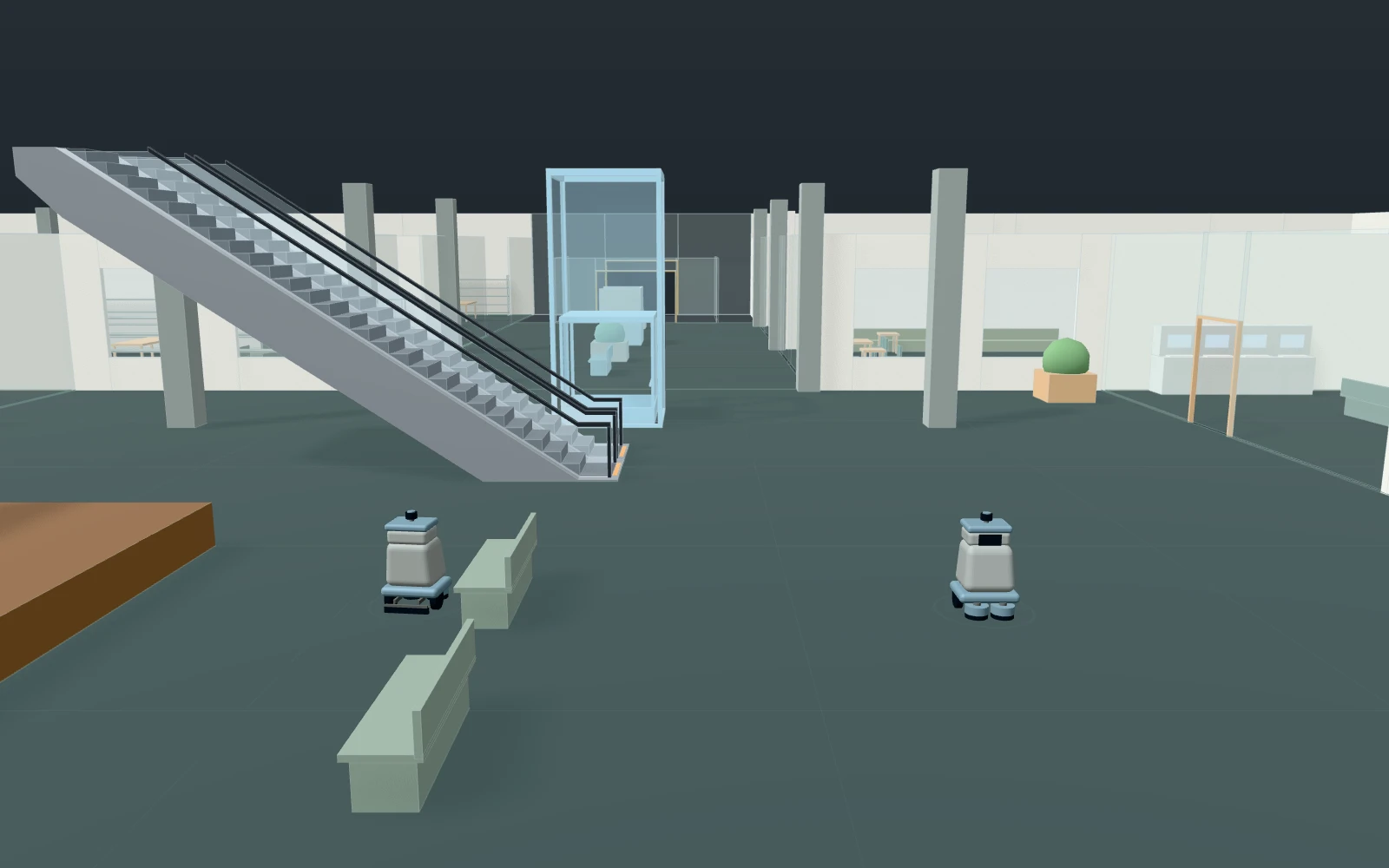
A model you can inspect.
After closing, from 22:00 (time 0), scrubber robots clean the common floors of three levels in 14 sections (5,016 m²), level by level from their docks on L2, while a crew of four does restrooms, food court, escalators, glass, lift cars, play area, entrances and rubbish. A section is drawn as lanes and takes about area ÷ rate; then the robot drains and refills at the nearest free fill point (the first fillPoints of two: L2 by the docks, L1 north corridor), queuing if busy. Robots ride the service lift one per car and charge at a dock to 95 % when they come free at 30 % or less. Floors are due dry by 06:00. Not computed: coverage per m², dirt, spills, battery ageing, people in the mall.
Change one thing
Go from 2 to 4 scrubbers, then open the second fill point. Try the robot model's own rate, battery hours and charge time.
Read the consequence
When the last section is done against 06:00, the wait at each fill point, when the robots charge and whether they all charge at once, and the service lift queue. Coverage, dirt, spills and people are not modelled.
View the starting inputs
- Scrubber robots
- 2
- Fill & drain stations in use (1–2)
- 1
- Scrubbing rate (m² per hour)
- 700
- Minutes to drain and refill
- 8
- Hours of scrubbing per charge
- 4
- Hours to charge from empty
- 4
- Cleaners on the crew
- 4
- Minutes per restroom block
- 40
Agent counts, routes and resource definitions are also saved in the project JSON.
The same demand. A different capacity.
One run, seed 3. Observation window 600 minutes. Arrivals, geometry and the seed set stay the same in every option.
| Scenario | Completed | Mean wait | Mean cycle | Blocked |
|---|---|---|---|---|
| 2 scrubbers, 1 fill point | 29 | 120m 18s | 156m 12s | 0 |
| 4 scrubbers, 1 fill point | 29 | 55m 17s | 91m 10s | 0 |
| 4 scrubbers, 2 fill points | 29 | 51m 28s | 87m 23s | 0 |
Waiting averages cover arrived jobs, including unfinished waits; cycle averages cover completed jobs only. These are synthetic calculations, not measured site performance, revenue or a safety assessment.
Engine, status and output notes
process-des-2.7.0. Status: 2 scrubbers, 1 fill point: completed; 4 scrubbers, 1 fill point: completed; 4 scrubbers, 2 fill points: completed. “Completed” is the engine run status, not success for every job. Check blocked jobs and warnings.
- No engine warnings.
Engine inputs and saved comparisons stay with the saved project. Any limited trace affects playback details, not aggregate metrics.
Plan in 2D. Inspect in 3D. Keep the whole project.
- Open and adjust. Switch between 2D and 3D; edit a part, a floor or an input. Both views describe the same model.
- Connect your agent for free. Sign in, choose Connect AI and connect ChatGPT, Claude, Codex or Claude Code. Ask it to inspect the example, edit the layout and check a route.
- Save a checkpoint. Project → Project file, or ask the agent to export the complete project. Import it later to restore floors, scenarios, saved comparisons and the selected view.
- Compare options. Run new operational comparisons under the same demand. Check Account for execution access, built-in AI and manual cloud-saving limits.