New 3PL client
Price a new client's afternoon wave: how many pickers and pack stations get every order to the carrier by the cut-off.
No sign-in needed: open it in Studio, inspect the saved results and edit in 2D and 3D. Sign in to connect your own AI; project files remain free. Check Account for execution access. Opening asks before replacing your current space.
With this client's order profile, what labour do we need on picking and packing to make the carrier cut-off every day?
- Who uses it
- A 3PL's solutions or sales engineer pricing a new client
- How it can create value
- Before quoting, test the client's order rate, lines per order and small-item share against the current team, see which step is the constraint (pickers, pack stations or the shared lift) and how many orders would miss the cut-off with each staffing level. The labour plan, not a revenue forecast, goes into the quote.
- Bring your site data
- The client's orders by hour, case and item lines per order, the share of orders with small items, your measured pick and pack times, walking speed with a cart, the goods lift's cycle and the carriers' cut-offs. Order batching, breaks and absence need your own allowance.
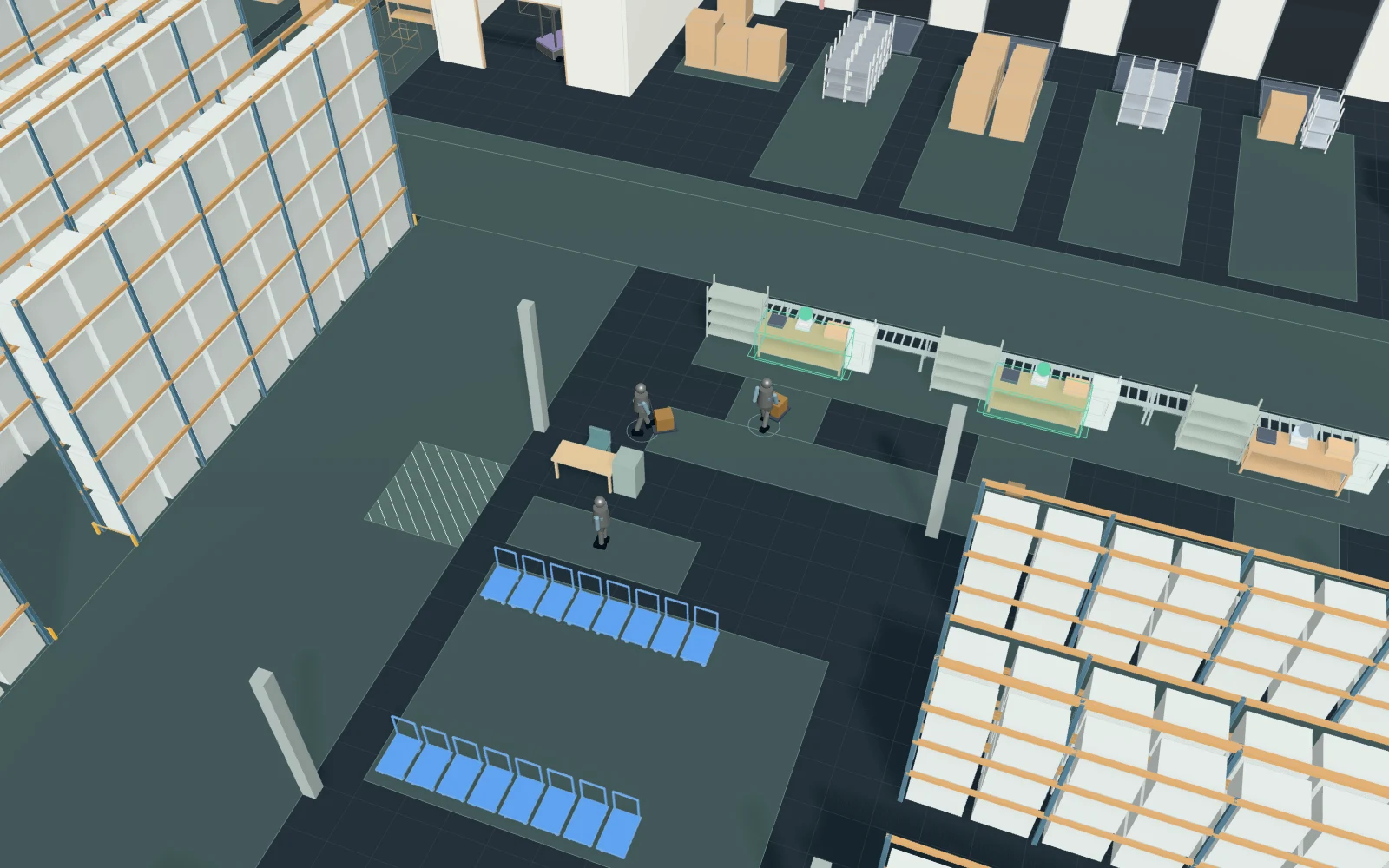
A model you can inspect.
A new client's afternoon wave in a 3PL warehouse, 13:00 to 17:30 (0 s is 13:00). Orders arrive from 13:00 to 15:00 (poisson, 45 an hour). A free picker prints the pick list and takes a cart at the pick start, picks 1–3 case lines from ground-level pallet faces in the racking, and three orders in four then ride the shared goods lift (one car for two carts, 0.5 m/s, 10 s gates, 3 s dwell) to pick 2–5 item lines on the mezzanine shelving and ride back down. The picker leaves the cart at a free one of the staffed pack stations (counting carts on their way; else the shortest queue) and goes back to the cart park; the packer packs, weighs and labels it (triangular around 200 s) and the carton runs on the takeaway conveyor to the dispatch sort. An order packed and conveyed by the cut-off (15:45) is staged for Carrier A; later ones go to the next-day lane. A reach truck replenishes pick faces and lifts six pallets to the mezzanine gate. Walking, lift rides, picking and packing times and FIFO queues only: no batching of orders on a cart, no congestion in aisles, picking errors, breaks, labour cost or carrier capacity. Times and rates are assumptions to replace with the client's order profile and your own timings.
Change one thing
With the same orders, add pickers (4 → 6), then open a third pack station (2 → 3); or change the share of orders with mezzanine lines, the packing time or the cut-off.
Read the consequence
Orders that miss the cut-off (the missed-cutoff process), the wait for a picker, the queue of carts at each pack station and the lift's waits: adding pickers alone moves the queue to packing. Labour cost, order batching and aisle congestion are not modelled.
View the starting inputs
- Client orders per hour (13:00–15:00)
- 45
- Pickers with carts
- 4
- Pack stations staffed (1–4)
- 2
- Orders with mezzanine item lines (%)
- 75
- Most likely time to pack an order (s)
- 200
- Carrier cut-off: staged by (s after 13:00)
- 9900
Agent counts, routes and resource definitions are also saved in the project JSON.
The same demand. A different capacity.
One run, seed 7. Observation window 270 minutes. Arrivals, geometry and the seed set stay the same in every option.
| Scenario | Completed | Mean wait | Mean cycle | Blocked |
|---|---|---|---|---|
| 4 pickers · 2 packing stations | 97 | 39m 39s | 53m 02s | 0 |
| 6 pickers · 2 packing stations | 97 | 28m 16s | 41m 38s | 0 |
| 6 pickers · 3 packing stations | 97 | 9m 17s | 22m 42s | 0 |
Waiting averages cover arrived jobs, including unfinished waits; cycle averages cover completed jobs only. These are synthetic calculations, not measured site performance, revenue or a safety assessment.
Engine, status and output notes
process-des-2.7.0. Status: 4 pickers · 2 packing stations: completed; 6 pickers · 2 packing stations: completed; 6 pickers · 3 packing stations: completed. “Completed” is the engine run status, not success for every job. Check blocked jobs and warnings.
- No engine warnings.
Engine inputs and saved comparisons stay with the saved project. Any limited trace affects playback details, not aggregate metrics.
Plan in 2D. Inspect in 3D. Keep the whole project.
- Open and adjust. Switch between 2D and 3D; edit a part, a floor or an input. Both views describe the same model.
- Connect your agent for free. Sign in, choose Connect AI and connect ChatGPT, Claude, Codex or Claude Code. Ask it to inspect the example, edit the layout and check a route.
- Save a checkpoint. Project → Project file, or ask the agent to export the complete project. Import it later to restore floors, scenarios, saved comparisons and the selected view.
- Compare options. Run new operational comparisons under the same demand. Check Account for execution access, built-in AI and manual cloud-saving limits.