Ask AI to build your warehouse transport simulation
Tell AI how orders move through your warehouse: where they arrive, what gets picked, and where packing happens. Ask it to build the space and transport workflow, then compare more movers, more packing capacity, or a different layout. You review the assumptions and results in Studio as the conversation progresses.
Should the next investment be more robots or more packing capacity?
- Who uses it
- Warehouse managers and automation planners
- How it can create value
- Screen whether packing or transport limits the modeled order flow before requesting equipment quotes. More robots may leave the same packing queue; compare completed orders by the deadline as well as waits.
- Bring your site data
- Order arrivals, dispatch deadline, pick/pack times, usable routes and vendor operating costs. Validate traffic, charging and lift dispatch separately before buying.
Start with this conversation.
Example requests for your MCP agent or the built-in Pro assistant. Review the inputs before running a simulation.
Build the model
Open the warehouse transport example. Show me the floors, pickup points, movers, and packing steps. List the dimensions and service times I need to confirm.
Compare with Pro
Compare three movers with six and one packing slot with two, including both changes together. Keep arrivals, run duration, and seeds the same. Show waiting and completed orders for each option.
Adapt the workflow
Add an inspection step after packing and send 10% of orders to rework before dispatch. Ask me for inspection and rework times, then prepare the updated scenario.
MCP editing and scenario preparation are free with an account. Simulation and comparisons require Pro; see Account for current pricing and availability. These are suggested requests, not a recorded AI session.
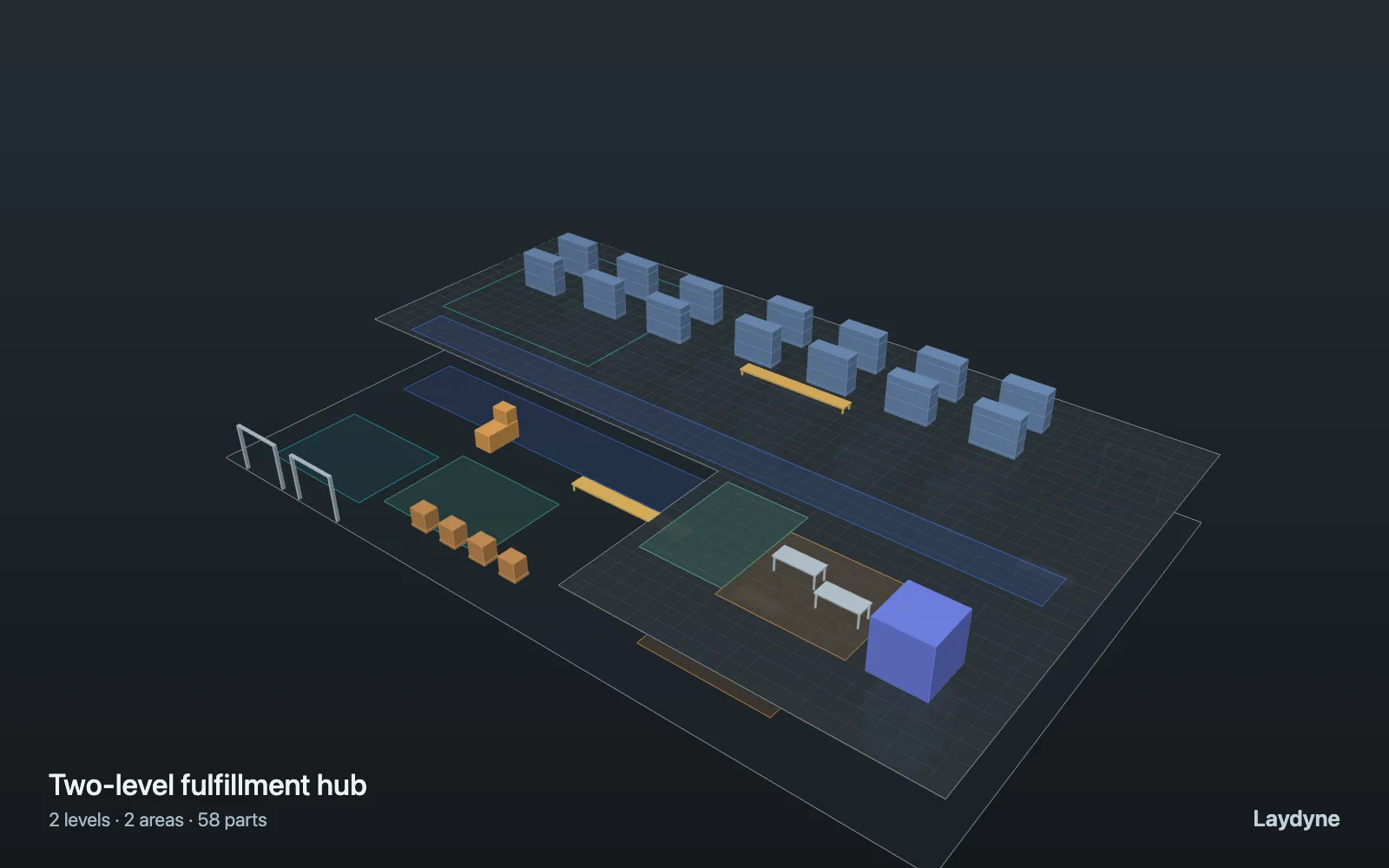
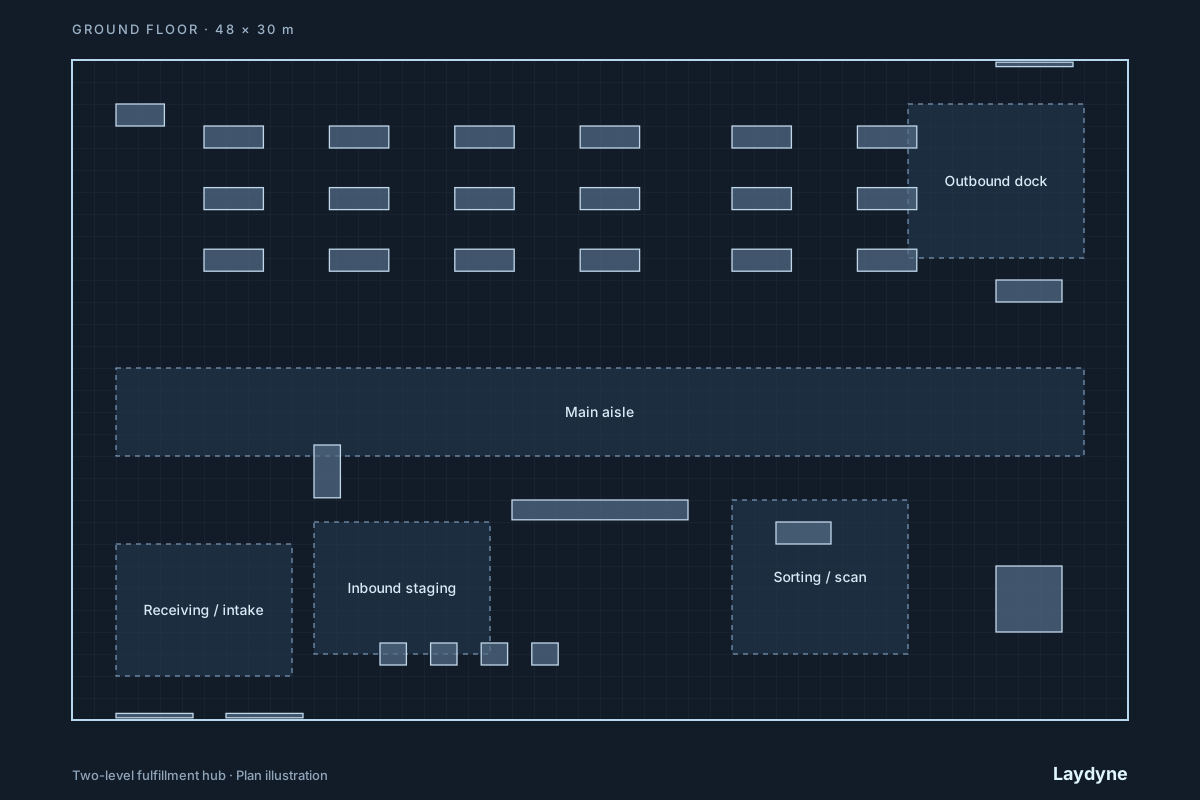
What this synthetic example produced
A synthetic 2-level hub has 58 parts and one capacity-one freight lift. Orders arrive as a Poisson stream averaging 60 per hour for one hour, and the model runs for two hours. The base has three movers and one packing slot; each option uses the same scenario and seeds 27–29.
| Variant | Mean wait per order | Mean completed orders |
|---|---|---|
| 3 movers · 1 packing slot | 21m 23s | 63.3 |
| 3 movers · 2 packing slots | 20m 24s | 63.3 |
| 6 movers · 1 packing slot | 17m 53s | 63.3 |
| 6 movers · 2 packing slots | 1m 23s | 63.3 |
In this input, either change alone has a limited effect on waiting, while the combined change has a much larger effect. Completed orders do not change over this two-hour window. This is a modelled interaction between capacities, not a forecast for an operating warehouse.
The space and scenario were built through WebMCP and checked for reachability. The exported project was evaluated with the same local process-des-2.1.1 engine because the local test account had no simulation access. A paid MCP simulation was not run.
Download the example project (JSON)Open the complete worked project
View the 2D/3D model, recorded simulation and project file →
Give AI the inputs that matter
AI can assemble floor areas, racks, workstations, connections between levels, and pickup and delivery zones. The shared 2D/3D view lets you inspect the resulting space. Confirm these inputs with the agent:
- Mark the walkable floor outlines, openings, racks, and loading points. Connect areas explicitly; touching floor areas do not connect automatically.
- Set agent size and speed, the number of available movers, connection width and capacity, and loading or unloading time.
- Define job arrivals and a repeatable simulation seed. Keep demand and observation time the same when comparing layouts.
Ask AI to compare the options
- Run a process scenario on the initial model. Inspect completed and unfinished jobs, resource queues, and connection waits.
- Change one factor, such as a connection capacity, mover count, or arrival rate, and rerun with the same seed.
- Check whether the improvement persists across several seeds before using the result to narrow a real-world design.
Read the result
The model can report:
- Completed jobs and jobs still in progress at the observation horizon.
- Waiting time and queue length at modelled resources and cross-floor connections.
- The path and timing assumptions that explain a reported bottleneck.
A higher completed-job count in the model identifies a candidate for site validation. It does not prove an AMR fleet will achieve that throughput: vehicle encounters, following, passing, turning, charging, and failures are outside this calculation.
What this model does not establish
Connections use capacity and FIFO waiting, not physical traffic or elevator dispatch. The dedicated two-station transport simulator and the process scenario are separate engines; compare like with like when you rerun an option.
Read the model and workflow manual before treating a result as evidence for a real site.