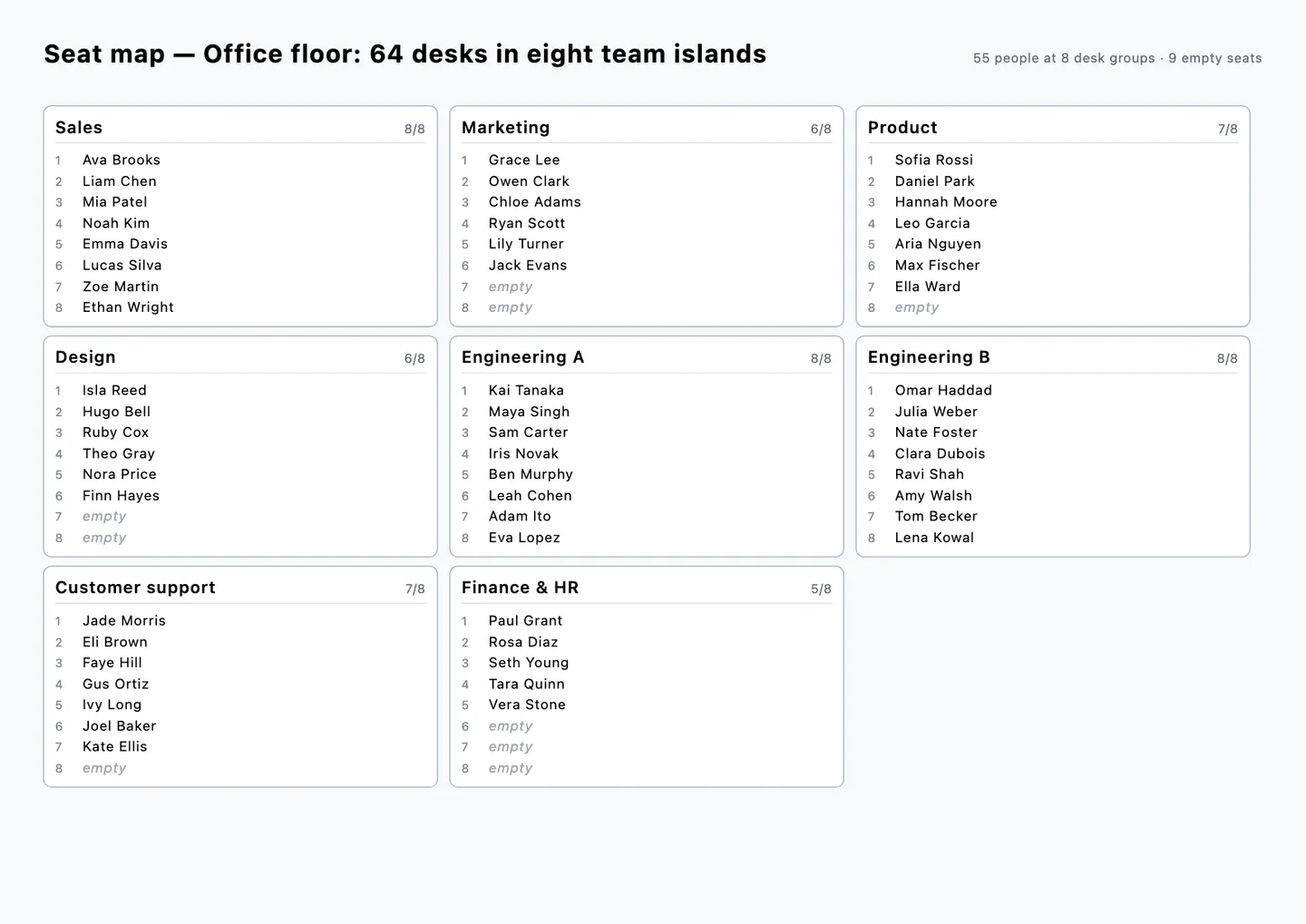
Start from the office floor model (free account) or use your own floor. Before a move or a reorganisation, someone has to decide which team sits on which island, keep the plan readable and send everyone the result. This article runs that job end to end on a synthetic 40 × 26 m floor with eight desk islands for eight, with the same tools your AI calls over MCP. Every number below comes from that run.
The floor
The model has 64 desks in eight islands, three meeting rooms (8, 6 and 4 seats), two phone booths, a pantry, the reception and the core with two lifts, stairs and toilets. Desks that touch form one island, so the seat map reads each island as a group. The chairs in the meeting rooms and the pantry stay out of it.
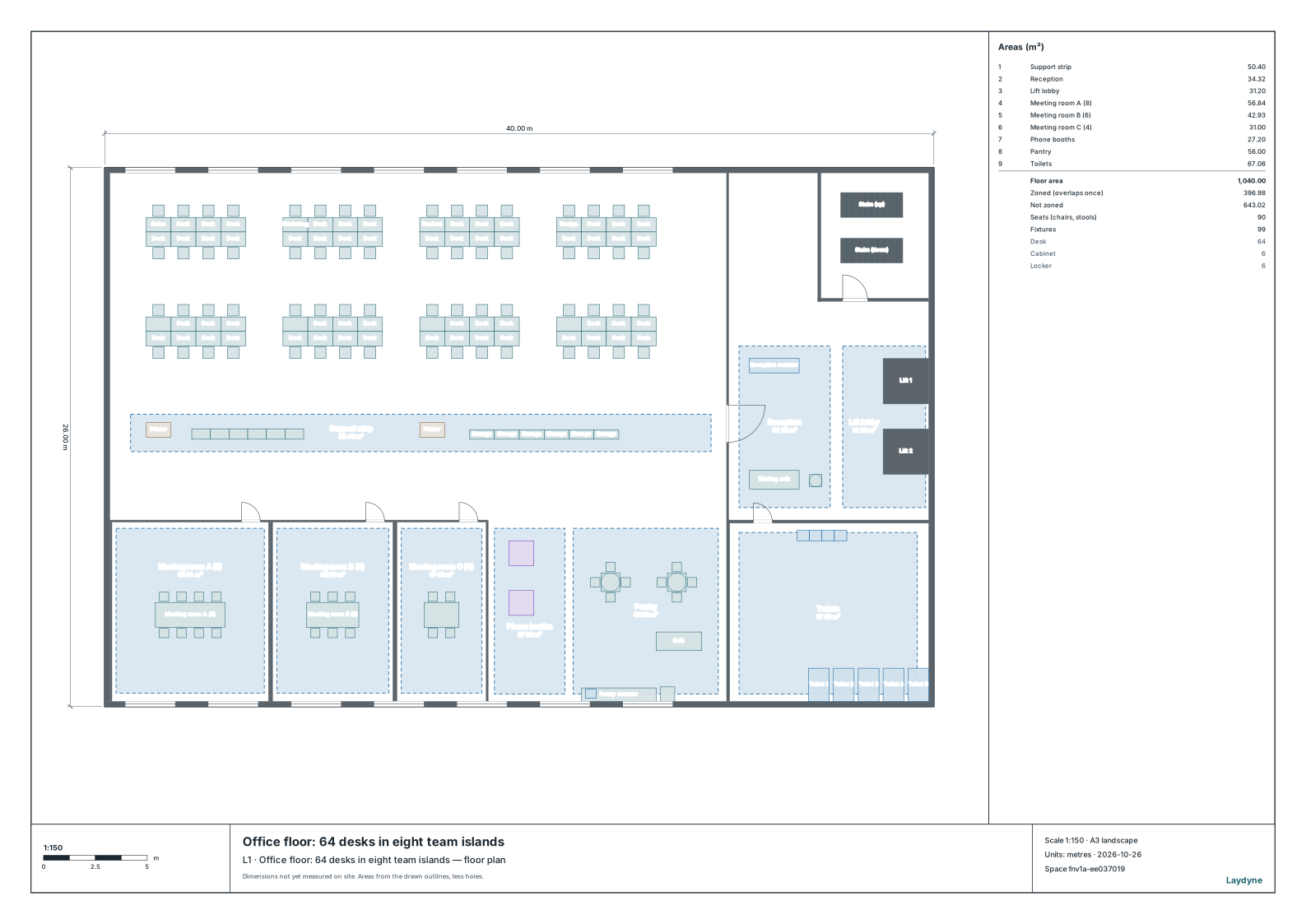
To use your own floor, place the Desk island for 4, 6 or 8 sets from the part catalog, or draw desks that touch with a chair at each.
1. Read the seat map
The AI starts with get_seating_chart. On this floor it reads desks (the default picks whichever seats more people), finds 8 islands with 64 seats, all empty, and leaves the 26 chairs in the meeting rooms and the pantry out. Seats are numbered by rows from the top of the plan, then left to right, so seat 1 is always the top-left chair of an island.
2. Seat each team on an island
You give the team list: Sales 8, Marketing 6, Product 7, Design 6, Engineering A 8, Engineering B 8, Customer support 7 and Finance & HR 5. The AI calls assign_guests once: each entry names an island after its team and puts the people on its seats in order. The result is one change, one Undo step: 55 people seated, 9 seats left free for visitors and new joiners.
check_space then finds no issue on the floor: every passage behind the chairs is at least 0.9 m wide.
3. Hand out the seat map and the directory
get_seating_chart with format: svg returns the printable A3 sheet below: one card per island, its seats in order and the empty ones marked. With format: csv and order: name it returns a staff directory sorted by name (download the CSV), ready for a phone list or the reception.
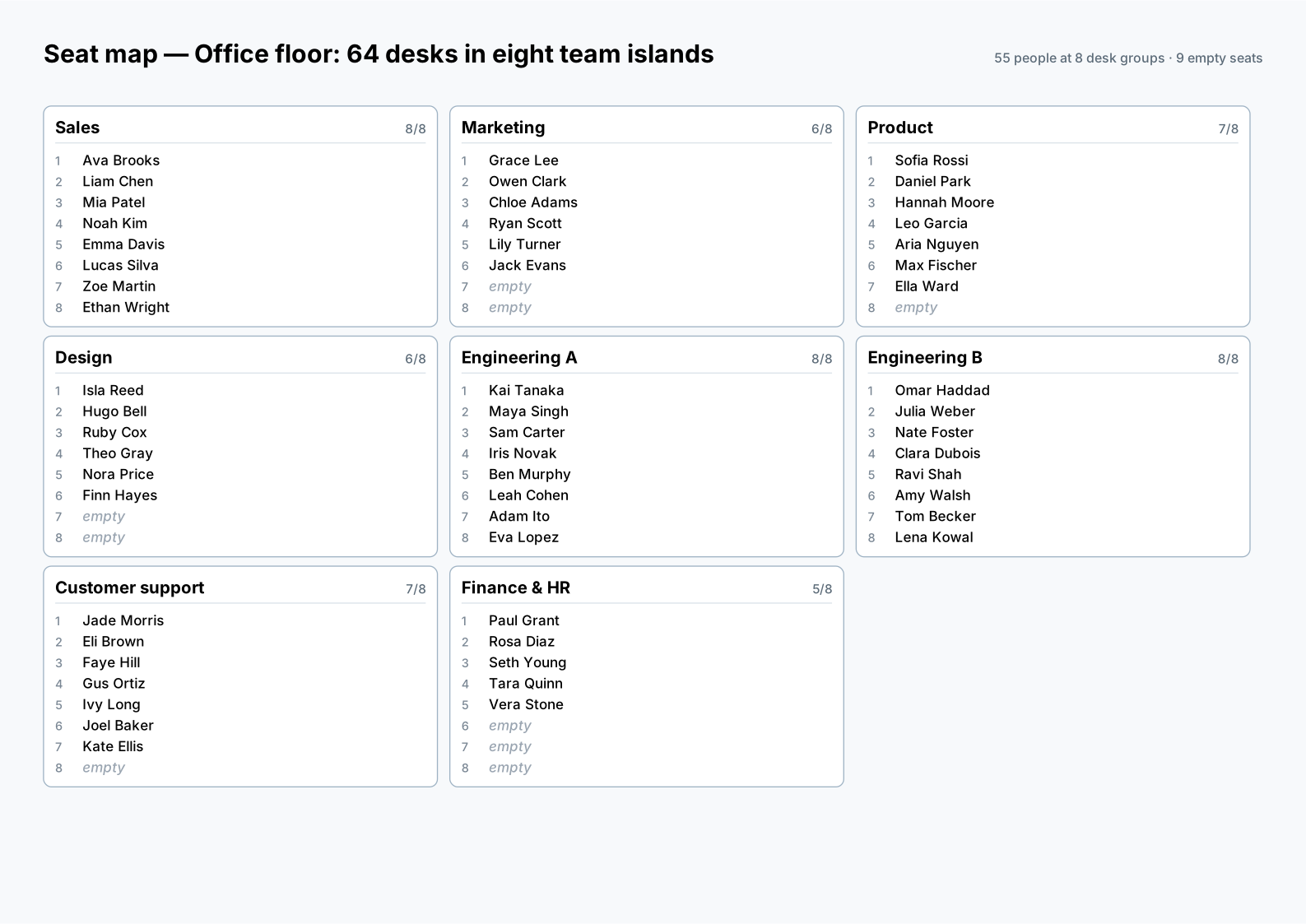
In Studio, Project → Seating chart saves the same sheet, and Seat list (CSV) saves every seat in island order, the empty ones included; the name-sorted directory comes from the tool. To show the plan to the team without accounts, share a viewing link from the Project menu. The link opens a copy of the floor with the names on it, so send it only to the people who should see them.
4. Reorganise: swap two teams
When Product and Customer support trade places, the AI names the two islands again and swaps their people in one more assign_guests call. The chart still reads 64 seats, 55 people and 9 free seats; get_change_log shows the two changes, and Undo takes them back newest first.
What Laydyne does and does not do
Laydyne reads and writes the seat map from the model itself: the names live on the chairs, the team names on the desks, so the plan survives export, import, undo and the AI workspace. It does not decide who should sit next to whom. The AI proposes from the brief you give it, and you confirm. The sizes are representative planning sizes, not a surveyed floor; check aisles, exits and the number of people against the building and the local fire rules.