Start from the exam hall model (free account), the classroom for 30, or your own room. Before every exam someone numbers the desks, seats the candidates in order, posts the plan at the door and prints a list for check-in, and then a candidate needs another seat. This article runs that job on a synthetic 17 × 15.6 m hall with 80 single desks, with the same tools your AI calls over MCP. Every number below comes from that run.
The hall
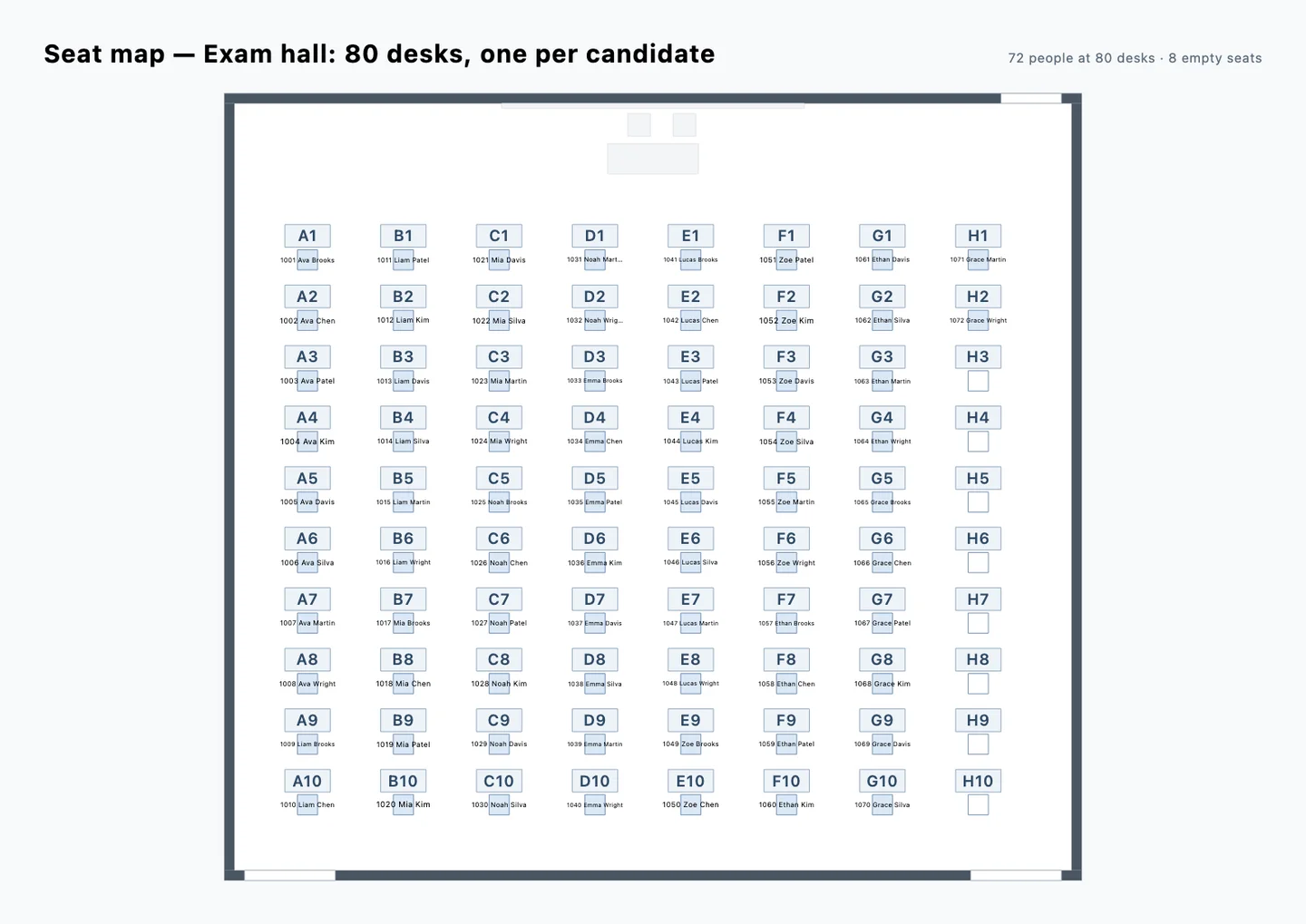
Eight columns of ten single desks, each with its chair facing the front, 1 m aisles between the columns, the proctors' table and a board for the exam times at the front, and three doors: two for candidates at the back, one for staff at the front. Each desk with its chair is a seat of the seating chart: get_seating_chart reads 80 desks, all empty, numbered by rows from the front, then left to right. The two proctors' chairs stay out of it.
1. Number the desks and seat the candidates
The AI gives every desk its seat code, columns A–H from the left and rows 1–10 from the front, and puts the 72 candidates on them in number order, column by column: 1001 at A1, 1002 at A2, and so on. It is one assign_guests call with 80 entries, one Undo step: 72 seated, 8 desks free at the end of column H.
2. Check the aisles and the doors
check_space finds no issue: every aisle is at least 0.9 m wide and no desk stands in front of a door. With reach it measures the walk from the west candidates' door: 13.7 m to A1, 25.2 m to H1 at the front right, 14.0 m to H10.
3. Post the seat map and print the check-in list
get_seating_chart with format: svg and layout: plan draws the hall itself: each desk with its seat code and the candidate's number and name at the seat, ready to post at the door. With format: csv and order: name it returns the check-in list, sorted by candidate (download the CSV).
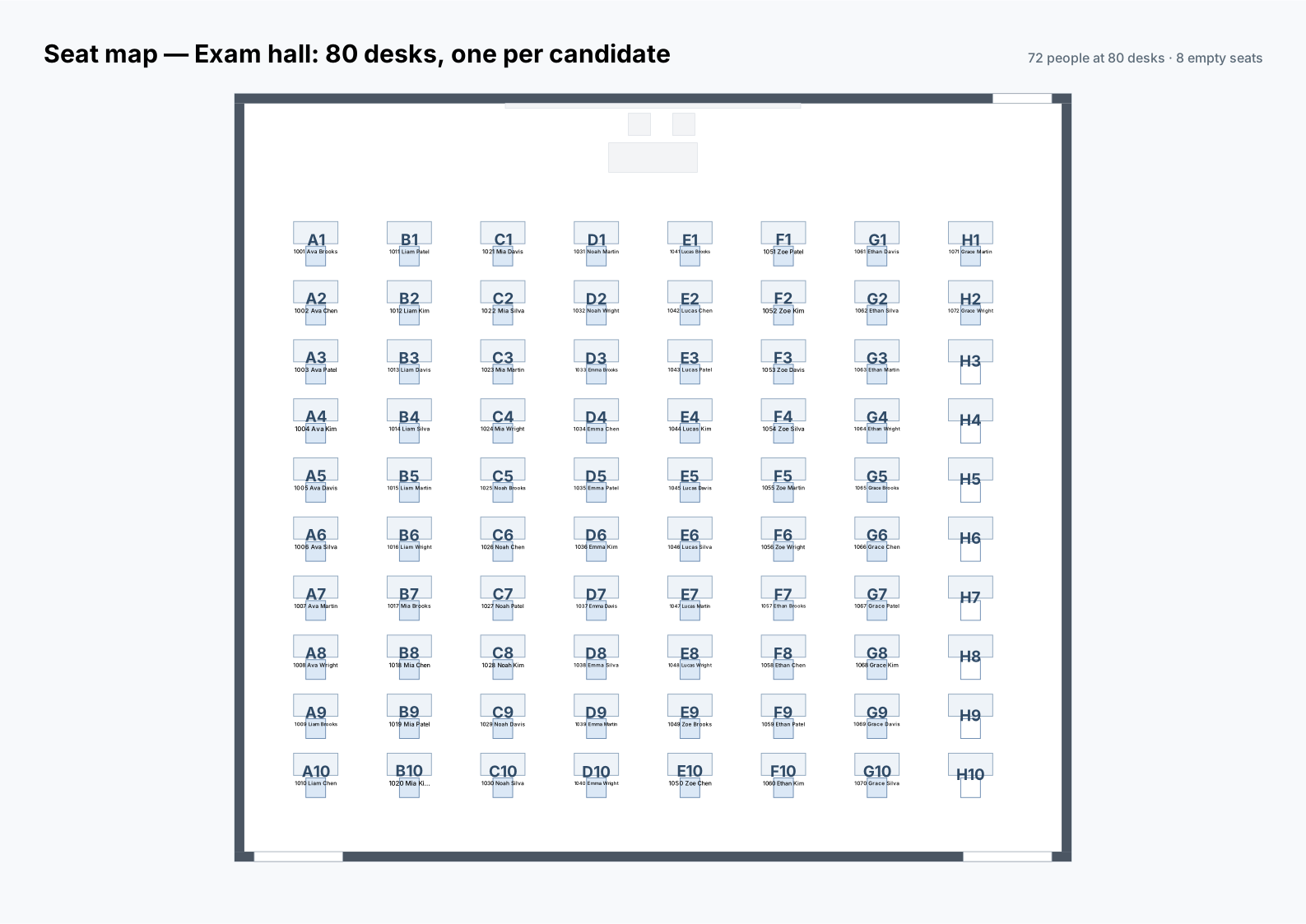
In Studio, the same sheet is under Project → Seat map on the plan.
4. Move one candidate
Candidate 1037, at D7, needs a seat by a door. The AI moves the candidate to H10, empty and next to the east door, in one more assign_guests call. The chart still reads 72 candidates at 80 desks, D7 is now free, and the change can be undone.
What Laydyne does and does not do
Laydyne keeps the seat codes on the desks and the candidates on the chairs, so the plan survives export, import, undo and the AI workspace, and the sheet is drawn from the model itself. It does not apply an exam body's rules (spacing between candidates, seats for extra time, invigilator ratios): give those to the AI as the brief. The sizes are representative, not a surveyed room; check aisles and exits against the building's rules.
The same seating chart reads an office floor's desk islands and a banquet's tables.