Factory & warehouse / WORKED EXAMPLE
Assembly plant shift
Can the plant ship every order within the hour? See whether test, AMRs or machining decides.
Free to open, edit and save a file. Pro to run your changes. Opening a project asks before replacing your current space.
Which change gets every order shipped within the hour: a faster test, more AMRs or faster machining?
- Who uses it
- Production engineers, plant managers and automation planners
- How it can create value
- Compare a faster test program, more AMRs in service and a shorter CNC cycle before buying equipment, and use the modelled constraint to choose an on-site trial. Finishing earlier only saves money if overtime, shifts or equipment spending actually fall.
- Bring your site data
- The order release plan and product mix, measured cycle, setup, station, test and packing times, the test failure rate, fleet sizes and travel speeds. Breakdowns, maintenance, shift breaks and vehicle collisions are outside this example.
01 / SETUP
A model you can inspect.
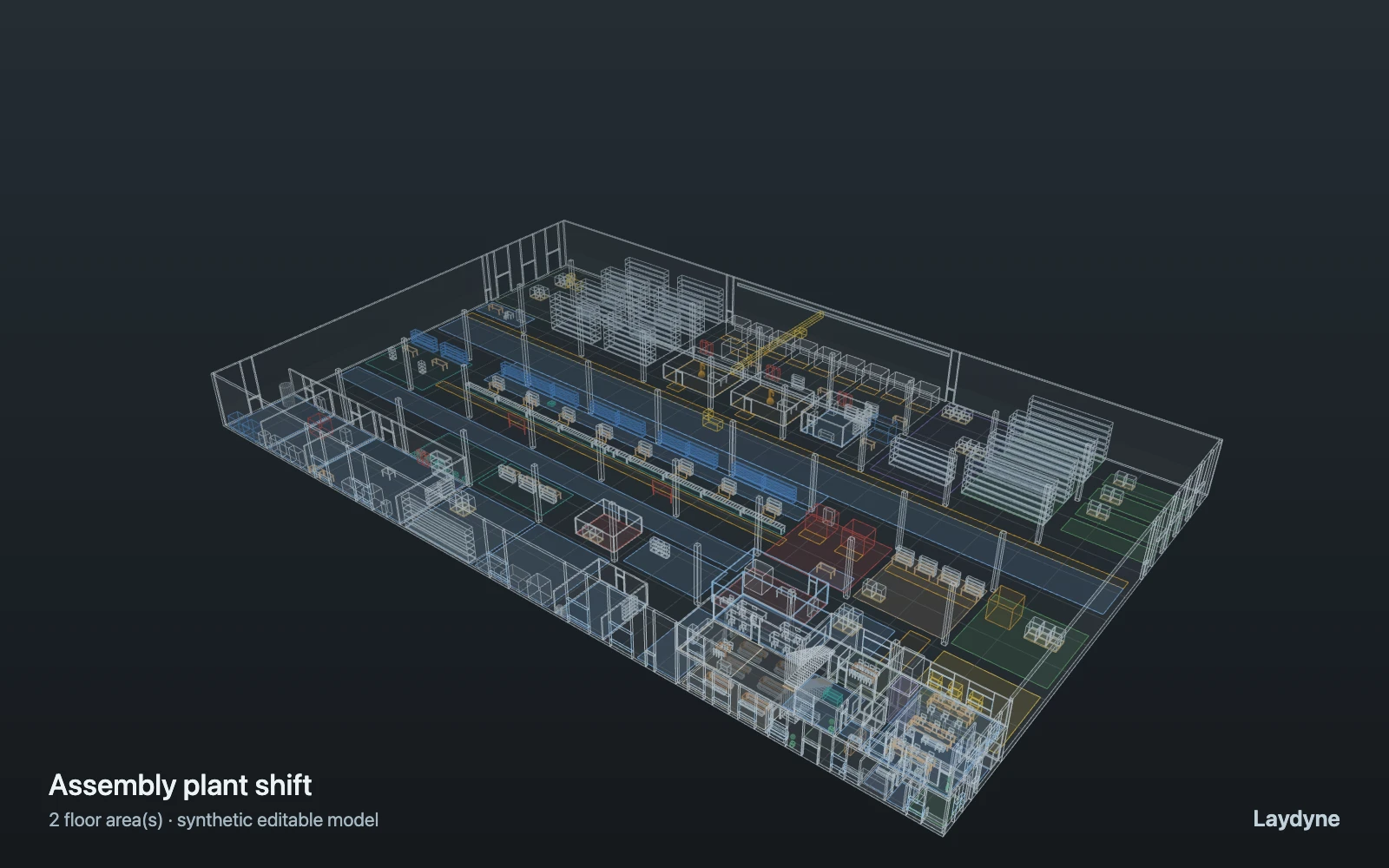
The first hour of a shift: six machined housings wait in the WIP buffer and eleven orders are released 110 s apart. For each order an AMR brings a tote of blanks from the raw store to a free CNC of its part family (counting totes already on their way; in turn when several are free) (an operator sets it up and unloads it), and family A goes on to the free welding robot; AMRs take each part to station 8, the unit runs down the eight stations (a station passes it on only when the next is free), a tester takes it to the free test rig (one in ten fails and is reworked, without a re-test), a packer packs it at the free bench, and a forklift wraps it and loads it at one of four docks. AMRs also run a kit cart to the line-side supermarket every three minutes, inbound pallets share the forklifts, and a quality engineer comes down the stairs from the mezzanine control room for CMM audits. Times, family shares and the failure rate are assumptions; "AMRs in service" caps how many of the six AMRs carry jobs at once; vehicles do not avoid each other, and breakdowns, breaks and conveyor buffers are not modelled.
Change one thing
Set the test to 240 s (the hour is missed), then 120 s; compare 2 and 6 AMRs in service and a longer CNC cycle with the same orders.
Read the consequence
The queue at the two test rigs, which CNCs and stations work at each moment, waits for AMRs, operators and forklifts, and when the last pallet leaves. Orders follow an assumed release plan; breakdowns, shift breaks and vehicle traffic are not modelled.
View the starting inputs
- Order interval (s)
- 110
- AMRs in service (of 6)
- 4
- CNC cycle time (s)
- 300
- End-of-line test time (s)
- 180
Agent counts, routes and resource definitions are also saved in the project JSON.
02 / ACTUAL ENGINE OUTPUT
A reproducible starting result.
One run, seed 1. Observation window 60 minutes.
| Scenario | Completed | Mean wait | Mean cycle | Blocked |
|---|---|---|---|---|
| Original scenario | 48 | 3m 11s | 13m 19s | 0 |
Waiting averages cover arrived jobs, including unfinished waits; cycle averages cover completed jobs only. These are synthetic calculations, not measured store performance, revenue or a safety assessment.
Engine, status and output notes
process-des-2.2.0. Status: Original scenario: completed. “Completed” is the engine run status; check the blocked column for unreachable jobs.
- No engine warnings.
Engine inputs and saved comparisons stay with the downloaded project. Any limited trace affects playback details, not aggregate metrics.
03 / MAKE IT YOURS
Plan in 2D. Inspect in 3D. Keep the whole project.
- Open and adjust. Switch between 2D and 3D; edit a part, a floor or an input. Both views describe the same model.
- Connect your agent for free. Sign in, choose Connect AI and connect Codex or Claude Code. Ask it to inspect the example, edit the layout and check a route.
- Save a checkpoint. Export → Project JSON, or ask the agent to export the complete project. Import it later to restore floors, scenarios, saved comparisons and the selected view.
- Compare with Pro. Run an edited scenario or compare frozen options under the same demand. Pro also adds built-in AI and manual cloud saving.