Keep the project as a file you own, and hand the model on
The editable source is one versioned JSON file with a public schema; from it Laydyne writes a GLB of the model and materials, PNG and SVG drawings, 3D images and HTML or PDF reports, and the browser keeps named copies, with cloud copies on Pro and Max.
How to use it
- Export the project JSON from Studio or with
export_project;import_projectrestores it with every id, layout, comparison and saved result, andget_project_schemareturns the format as JSON Schema. - Export a GLB from Studio for viewers and other 3D tools. GLB carries the model and materials. Keep the project JSON for recipes, references, processes, comparisons and history.
- Save scaled 2D drawings as SVG or PNG and 3D images from named viewpoints with
get_view_image, and reports as HTML or PDF, as in the office record. - Browser saving and JSON import and export are free with no count limit; cloud saving is a separate manual action on Pro (20 projects of up to 10 MiB each, 100 MiB in total) and Max (100 projects, 1 GiB in total).
What the published records produced
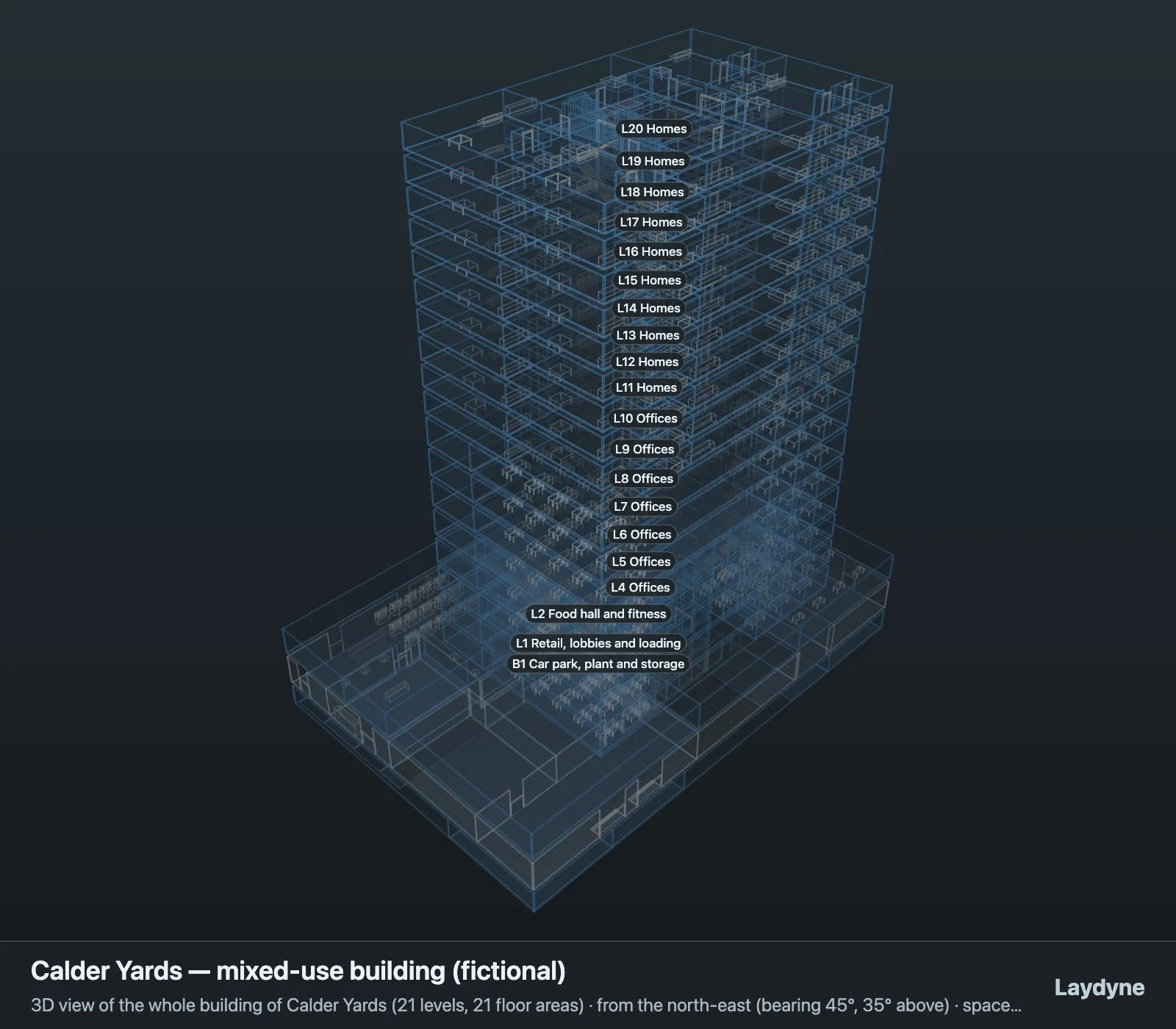
Every published record ends in its project file: the office floor with A, B and R02; the shop with options A to D, its process options and saved comparisons; and the Calder Yards building, reopened in another session with its layout options and history intact.
- Editable project with A, B and R02 (JSON)
- Shop project with options A to D (JSON)
- Calder Yards project with A, B and C (JSON)
- Manual: Save and export
- Manual: Build with a program (the project schema and the kit)
These recorded projects use synthetic inputs. Photos and drawings show what was produced; site accuracy, business effects and photorealistic reconstruction are not established.
What it does not do
- This export includes all floor areas in metres, with Y up. Reference images and drawing annotations are omitted. External files are never fetched.
- If Cloud projects is enabled on your plan, saving there is a separate action. Opening a cloud project loads it into the browser workspace; later changes remain local until you choose to save them to cloud again. The original drawing or photo is not included in the saved project; keep the source file separately.
- The working project stays in this browser. The JSON you export is a file you keep yourself: in a folder, in Git or on your own drive. Cloud saving on Pro and Max is a separate, manual action. An MCP link relays tool requests and results through Laydyne’s server and stores them temporarily for delivery; it is not a project backup. WebMCP editing runs inside the tab without the relay. See how your data flows and the privacy policy.
- DWG, DXF and IFC files are not imported.
Price
Building and editing the model with your own AI over MCP, route checks, saving in this browser and JSON import and export are free, with no count limit; a free account is needed only to create an MCP link (3 per account). Running simulations, the built-in AI and cloud saving need Pro ($29 a month or $278.40 a year) or Max ($89 a month or $854.40 a year). Prices are in US dollars before tax; your AI provider bills its own usage separately.
Common questions
- Which file is the source of truth?
- Export the project JSON from Studio or with
export_project;import_projectrestores it with every id, layout, comparison and saved result, andget_project_schemareturns the format as JSON Schema. - What does the GLB contain?
- Export a GLB from Studio for viewers and other 3D tools. GLB carries the model and materials. Keep the project JSON for recipes, references, processes, comparisons and history.
- Where is my data kept?
- The working project stays in this browser. The JSON you export is a file you keep yourself: in a folder, in Git or on your own drive. Cloud saving on Pro and Max is a separate, manual action. An MCP link relays tool requests and results through Laydyne’s server and stores them temporarily for delivery; it is not a project backup. WebMCP editing runs inside the tab without the relay. See how your data flows and the privacy policy.
- Can I import DWG or IFC files?
- DWG, DXF and IFC files are not imported.