Buildings / WORKED EXAMPLE
Airport morning departures
Watch a morning departures bank build a security queue while two flights arrive below.
Free to open, edit and save a file. Pro to run your changes. Opening a project asks before replacing your current space.
How many security lanes must be staffed for the morning bank, and when?
- Who uses it
- Airport operations, security checkpoint managers and terminal planners
- How it can create value
- Compare lane staffing against the queue it leaves at the peak before setting the roster. Weigh the modeled waits against the screener hours each option costs and your own service target; the run does not show missed flights, retail spend or passenger satisfaction.
- Bring your site data
- Show-up profiles by flight from booking data, the share checking bags, measured screening and check-in times, staffed lanes and desks by hour, flight schedules and first-to-last bag times at the belts. Boarding tied to departure times needs those schedules; here gates board after a random wait, and belts hand bags out in arrival order once the first dolly train is in.
01 / SETUP
A model you can inspect.
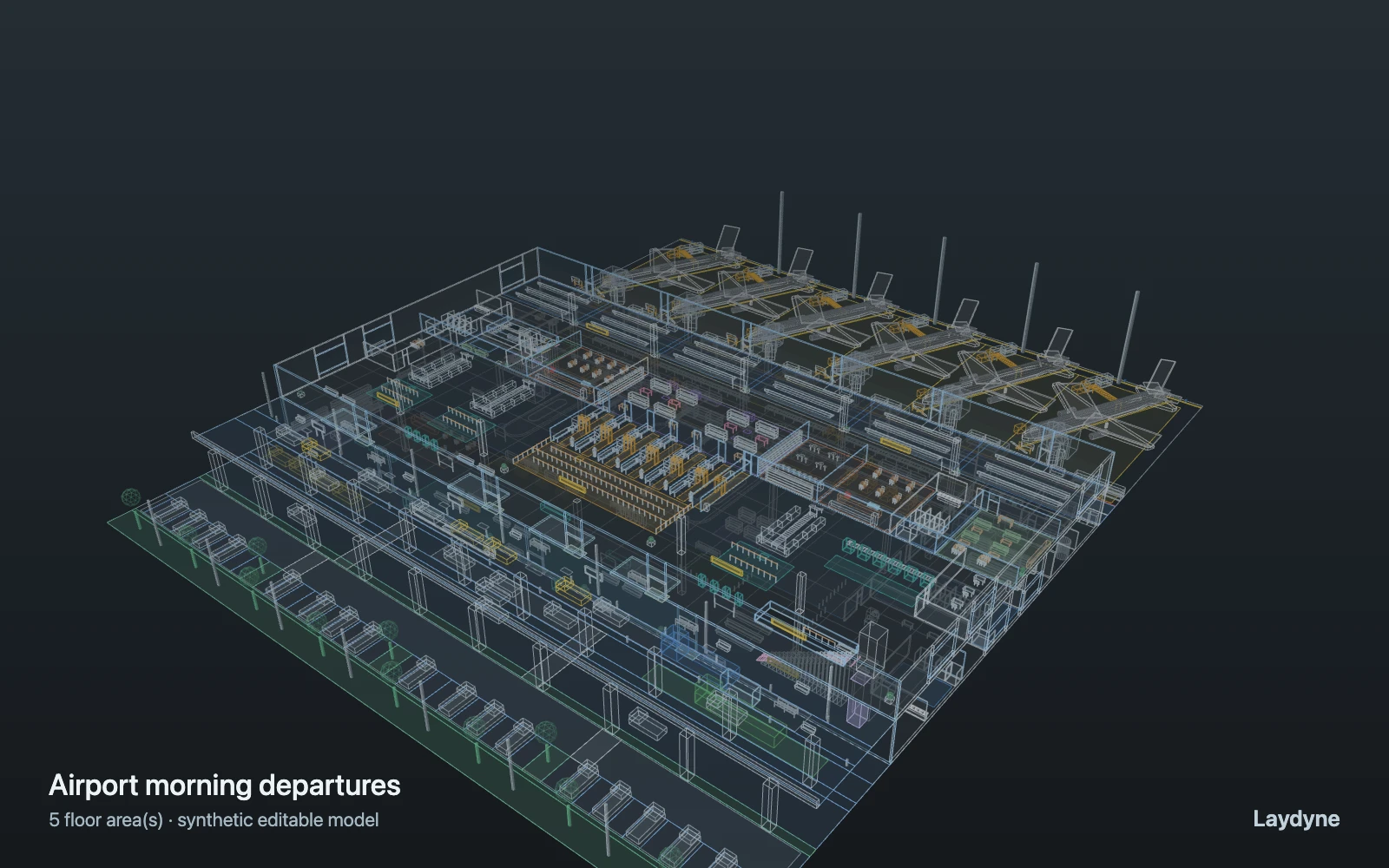
A 30-minute morning bank of departing passengers (stacked poisson streams of one base rate make the peak: doubled from 6 to 25 min, quadrupled from 11 to 21 min) arrives at the elevated kerb or by road below and rides up; those with bags check in at an island with a free desk (in turn when several are free, counting those already walking there; each island is one four-desk resource shown on its first desk) or a self bag drop, everyone waits for a staffed security lane (the open-lane count is the capacity and opens lanes 1 to that count; each passenger takes a free open lane, in turn), and some stop at duty free, a café, the bar or the lounge before waiting at a gate and boarding. Meanwhile two regional jets unload passengers who ride down to the reclaim belts, collect bags, pass customs (8% inspected) and leave by taxi, bus or car, and two tugs carry bags between stands and the baggage hall. each belt waits for its flight’s first dolly train and then hands bags out in the order passengers reached it, boarding follows a random dwell rather than departure times, tugs route with a pedestrian clearance so they share the routing graph, and queues are counts and times, not crowd physics.
Change one thing
Compare 3, 4 and 5 open security lanes with the same passengers and seed, then raise both passenger rates by a quarter.
Read the consequence
The security queue area over time, lane screening, check-in and bag-drop use, and waits at the belts. Passengers take the free lane or desk; gates board after a random wait, not to a timetable, and crowd movement is not simulated.
View the starting inputs
- Passengers checking bags per hour (base)
- 54
- Passengers with cabin bags only per hour (base)
- 36
- Open security lanes
- 3
Agent counts, routes and resource definitions are also saved in the project JSON.
02 / ACTUAL ENGINE OUTPUT
A reproducible starting result.
One run, seed 11. Observation window 60 minutes.
| Scenario | Completed | Mean wait | Mean cycle | Blocked |
|---|---|---|---|---|
| Original scenario | 173 | 5m 01s | 13m 08s | 0 |
Waiting averages cover arrived jobs, including unfinished waits; cycle averages cover completed jobs only. These are synthetic calculations, not measured store performance, revenue or a safety assessment.
Engine, status and output notes
process-des-2.2.0. Status: Original scenario: completed. “Completed” is the engine run status; check the blocked column for unreachable jobs.
- No engine warnings.
Engine inputs and saved comparisons stay with the downloaded project. Any limited trace affects playback details, not aggregate metrics.
03 / MAKE IT YOURS
Plan in 2D. Inspect in 3D. Keep the whole project.
- Open and adjust. Switch between 2D and 3D; edit a part, a floor or an input. Both views describe the same model.
- Connect your agent for free. Sign in, choose Connect AI and connect Codex or Claude Code. Ask it to inspect the example, edit the layout and check a route.
- Save a checkpoint. Export → Project JSON, or ask the agent to export the complete project. Import it later to restore floors, scenarios, saved comparisons and the selected view.
- Compare with Pro. Run an edited scenario or compare frozen options under the same demand. Pro also adds built-in AI and manual cloud saving.