Factories & warehouses / WORKED EXAMPLE
Day-of-picking staffing
Compare staffing schedules and cart availability against the same picking list and dispatch deadline.
No sign-in needed: open it in Studio, look around and edit it in 2D and 3D. Log in to connect your own AI and save; Pro runs your changes. Opening a project asks before replacing your current space.
Can today’s orders be staged on time, and when should another picker join?
- Who uses it
- Warehouse supervisors planning the day’s picking shift
- How it can create value
- Check whether extra staffing can meet the cutoff before allocating people. A cart shortage can still limit the work.
- Bring your site data
- Your order lines, pick locations, release times, cutoff, measured picking times and available people and carts.
01 / SETUP
A model you can inspect.
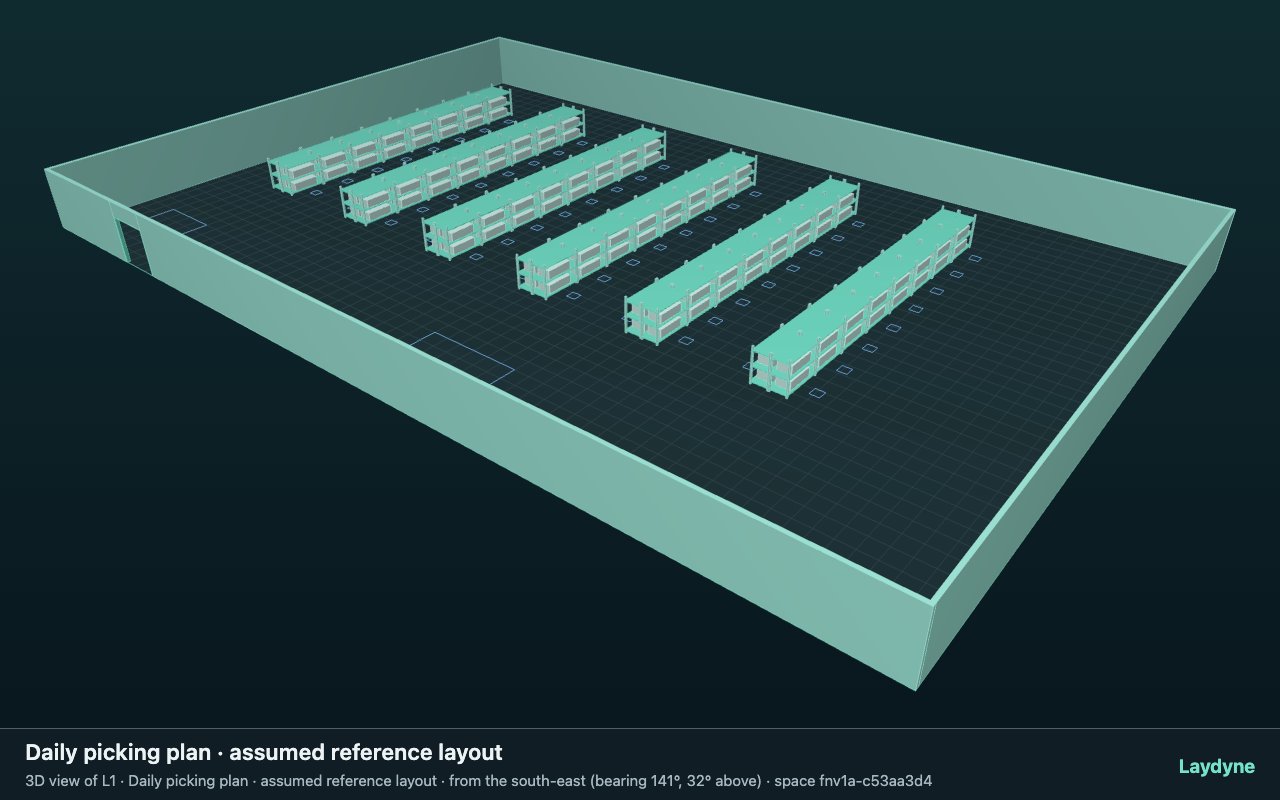
An assumed warehouse with 96 pick faces. Each list uses a picker and a cart; the model follows travel, picking, staging and the return trip. Normal and peak demand are compared separately.
Change one thing
Add a picker at the start or after 15 minutes, then test a shortage of carts.
Read the consequence
Read staged lists and boxes at the deadline, alongside the planned staff-hours.
View the starting inputs
- Floor width (m)
- 60
- Floor depth (m)
- 40
- Assumed pick faces
- 96
These dimensions are assumptions for the example.
02 / DECLARED INPUTS
A model you can inspect.
- Normal demand (lists)
- 24
- Peak demand (lists)
- 48
- Compared staffing plans
- 4
These are declared example inputs. The downloadable project and reports preserve the layout, order list, assumptions and calculation version for review.
03 / COMPARE THE DECISION
Which staffing plan meets the staging cutoff?
Planned staff-hours describe scheduled capacity, not actual utilisation or cost. A staged order is delivered; a returned list also includes the trip back.
Normal demand · 24 lists
Recommended among the evaluated plans: Third picker after 15 min · 3 carts.
One run, seed 20261001. Observation window 60 minutes.
| Staffing plan | Staged lists / required | Staged boxes / required | Planned staff-hours | Conditions |
|---|---|---|---|---|
| 2 pickers · 3 carts | 21 / 24 | 250 / 289 | 2 | Does not meet the conditions |
| 3 pickers from the start · 3 carts | 24 / 24 | 289 / 289 | 3 | Meets the tested conditions |
| Third picker after 15 min · 3 carts | 24 / 24 | 289 / 289 | 2.75 | Meets the tested conditions |
| 3 pickers from the start · 2 carts | 21 / 24 | 250 / 289 | 3 | Does not meet the conditions |
Calculation evidence and secondary measures
process-des-2.5.1 · Study input hash: fnv1a-30d6c27f
2 pickers · 3 carts
- Returned lists
- 20
- Saved option
5f079e08-7454-4fa1-8596-b0c4807a6fd8- Input hash
fnv1a-cd33e952
3 pickers from the start · 3 carts
- Returned lists
- 24
- Saved option
4ce37381-9e95-4873-8a4a-c00dab629923- Input hash
fnv1a-493b70c3
Third picker after 15 min · 3 carts
- Returned lists
- 24
- Saved option
70012930-7a93-490e-bacb-596365d09a7d- Input hash
fnv1a-57d4248f
3 pickers from the start · 2 carts
- Returned lists
- 20
- Saved option
b50cdcec-3420-4a8a-a863-e6d0400e13df- Input hash
fnv1a-124df5f5
Peak demand · 48 lists
None of the tested plans meets the conditions.
One run, seed 20261001. Observation window 60 minutes.
| Staffing plan | Staged lists / required | Staged boxes / required | Planned staff-hours | Conditions |
|---|---|---|---|---|
| 2 pickers · 3 carts | 21 / 48 | 250 / 577 | 2 | Does not meet the conditions |
| 3 pickers from the start · 3 carts | 30 / 48 | 360 / 577 | 3 | Does not meet the conditions |
| Third picker after 15 min · 3 carts | 27 / 48 | 324 / 577 | 2.75 | Does not meet the conditions |
| 3 pickers from the start · 2 carts | 21 / 48 | 250 / 577 | 3 | Does not meet the conditions |
Calculation evidence and secondary measures
process-des-2.5.1 · Study input hash: fnv1a-191dfb79
2 pickers · 3 carts
- Returned lists
- 20
- Saved option
a9522bcd-0b13-4aaa-8478-66af00f1b792- Input hash
fnv1a-06c752ca
3 pickers from the start · 3 carts
- Returned lists
- 30
- Saved option
8825fbba-7790-458f-bdca-4accef8d0153- Input hash
fnv1a-d6e92ef7
Third picker after 15 min · 3 carts
- Returned lists
- 27
- Saved option
c302d154-8c74-41e5-9fd0-d8637fd128a4- Input hash
fnv1a-3134708b
3 pickers from the start · 2 carts
- Returned lists
- 20
- Saved option
bcc7c0b1-b75a-4c5b-b248-3b47c0c5c785- Input hash
fnv1a-4612cd81
Before using this for a real shift
Replace the example orders and measured times, confirm staff and cart availability, then rerun before allocating a real shift.
Assumptions, input files and primary sources
- The 60 × 40 m floor and 96 pick faces are illustrative assumptions.
- Inventory is assumed available. Replenishment, worker collisions, fatigue and picking errors are outside this example.
- The picker and cart use an assumed circular clearance of 0.35 m radius. Actual cart size, loads and turning space still need checking; collision avoidance is not simulated.
- Compare the four plans within each demand case. Normal and peak demand are separate decisions, not a paired comparison.
Primary sources
- DHL Louveira · WSC 2012
Daily picking demand, hourly staffing and the decision to negotiate work that available resources cannot finish.
- Mauá · PMN06 · 2014
A follow-up project describes a planning tool that was difficult to update and slow to respond.
- DHL Louveira · WSC 2024
A retrospective of the earlier decision-support project; it does not establish current use or demand for Laydyne.
04 / MAKE IT YOURS
Plan in 2D. Inspect in 3D. Keep the whole project.
- Open and adjust. Switch between 2D and 3D; edit a part, a floor or an input. Both views describe the same model.
- Connect your agent for free. Sign in, choose Connect AI and connect Codex or Claude Code. Ask it to inspect the example, edit the layout and check a route.
- Save a checkpoint. Export → Project JSON, or ask the agent to export the complete project. Import it later to restore floors, scenarios, saved comparisons and the selected view.
- Compare with Pro. Run an edited scenario or compare frozen options under the same demand. Pro also adds built-in AI and manual cloud saving.