Simulate how people, goods and robots move and wait
On the same model, Laydyne runs arrivals, work steps, staff, robots, lifts and queues as a deterministic process simulation, repeats it over paired seeds, and reports waits, throughput and utilisation for each layout or staffing option under the same conditions.
How to use it
- Describe the operation to your AI or pick a scenario from the process catalog: who arrives when, what they do where, and which staff, machines or robots serve them.
- Your AI saves the scenario with
put_process_scenario, states the assumptions (arrival rate, service times, walking speed, horizon) and runs it withrun_process_scenario; runs need Pro. - Compare two options with
compare_process_options: the same arrivals and seeds, paired runs (the published office record used 20), and the difference with its interval, so noise is not reported as an effect. - Play the result on the 2D plan or the 3D model, as in the AMR line supply example; saved results reopen with the project, and viewing them is free.
What the published records produced
In the office record, on the same assumed day over 20 paired seeds, waiting per arriving person fell from 16.55 minutes in A to 2.91 in B and settled at 4.25 in R02; the 48-desk variants left people without a seat on 7 of 20 days. In the clinic record, separating reception and payment shortened modelled walking and increased average patient waiting by 20.37 seconds, and twenty paired runs did not establish a difference in total visit time.
- Office layout change: the inputs, the comparison and the files
- Separate payment, shorter walks, longer waits: a clinic comparison on 20 paired seeds
- Clinic decision report (PDF)
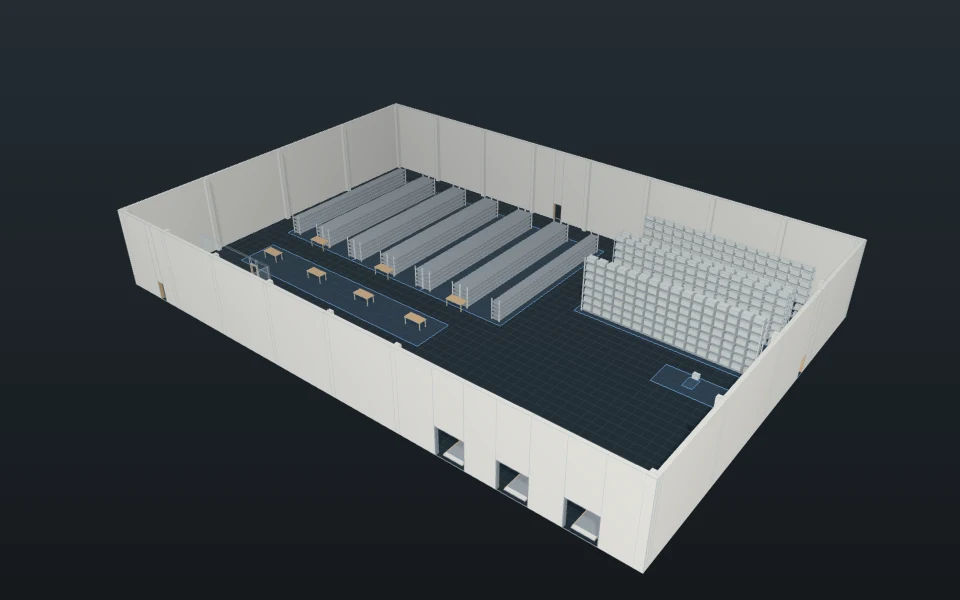
- A robot fleet proposal from a customer’s warehouse drawing
- AMR line supply: one robot, two robots and a closer pickup
These recorded projects use synthetic inputs. Photos and drawings show what was produced; site accuracy, business effects and photorealistic reconstruction are not established.
What it does not do
- Results come from a simplified, deterministic model: robots are circles moving at constant speed, and the same input always gives the same result. It does not model collisions or avoidance between robots or people (only capacities and queues), crowd physics, optimised lift group control (lift cars follow simple fixed rules), turning, or cleaning quality. Batteries, when a scenario gives them, drain in a straight line and charge at a constant rate. Dimensions read from photos and drawings are assumptions to check against measurements. It is for exploring options, not a calibrated prediction of a real site.
- Agreement with real robots or real sites: determinism guarantees reproducibility, not field accuracy; calibrate separately.
Price
Building and editing the model with your own AI over MCP, route checks, saving in this browser and JSON import and export are free, with no count limit; a free account is needed only to create an MCP link (3 per account). Running simulations, the built-in AI and cloud saving need Pro ($29 a month or $278.40 a year) or Max ($89 a month or $854.40 a year). Prices are in US dollars before tax; your AI provider bills its own usage separately.
Common questions
- What does the simulation calculate?
- On the same model, Laydyne runs arrivals, work steps, staff, robots, lifts and queues as a deterministic process simulation, repeats it over paired seeds, and reports waits, throughput and utilisation for each layout or staffing option under the same conditions.
- How are two options compared under the same conditions?
- Compare two options with
compare_process_options: the same arrivals and seeds, paired runs (the published office record used 20), and the difference with its interval, so noise is not reported as an effect. - Does it model collisions, crowds or real lift dispatch?
- Results come from a simplified, deterministic model: robots are circles moving at constant speed, and the same input always gives the same result. It does not model collisions or avoidance between robots or people (only capacities and queues), crowd physics, optimised lift group control (lift cars follow simple fixed rules), turning, or cleaning quality. Batteries, when a scenario gives them, drain in a straight line and charge at a constant rate. Dimensions read from photos and drawings are assumptions to check against measurements. It is for exploring options, not a calibrated prediction of a real site.
- Is a simulation run free?
- Building and editing the model with your own AI over MCP, route checks, saving in this browser and JSON import and export are free, with no count limit; a free account is needed only to create an MCP link (3 per account). Running simulations, the built-in AI and cloud saving need Pro ($29 a month or $278.40 a year) or Max ($89 a month or $854.40 a year). Prices are in US dollars before tax; your AI provider bills its own usage separately.