Factory & warehouse / WORKED EXAMPLE
Assembly line kanban
Run a shift on an assembly line and see where units wait: for the bottleneck station, on a full buffer, or for screws.
Free to open, edit and save a file. Pro to run your changes. Opening a project asks before replacing your current space.
How big must the buffers between stations be, and how low can the kanban point go before station 1 runs out of screws?
- Who uses it
- Production engineers, line planners and lean improvement teams
- How it can create value
- Compare buffer sizes, kanban points and takt times on the same units before moving conveyors or changing the replenishment rule, and see which station holds the line up. Fewer stoppages alone do not establish savings: weigh the stock and floor space a larger buffer or kanban point takes against measured cycle times and costs.
- Bring your site data
- Cycle times per station (a time study), the takt and shift plan, the screws or parts used per unit, bin sizes and the tugger route and timing, the rework rate and times, and pallet quantities. Cycle times and the replenishment lead time need measuring before the waits can be trusted.
01 / SETUP
A model you can inspect.
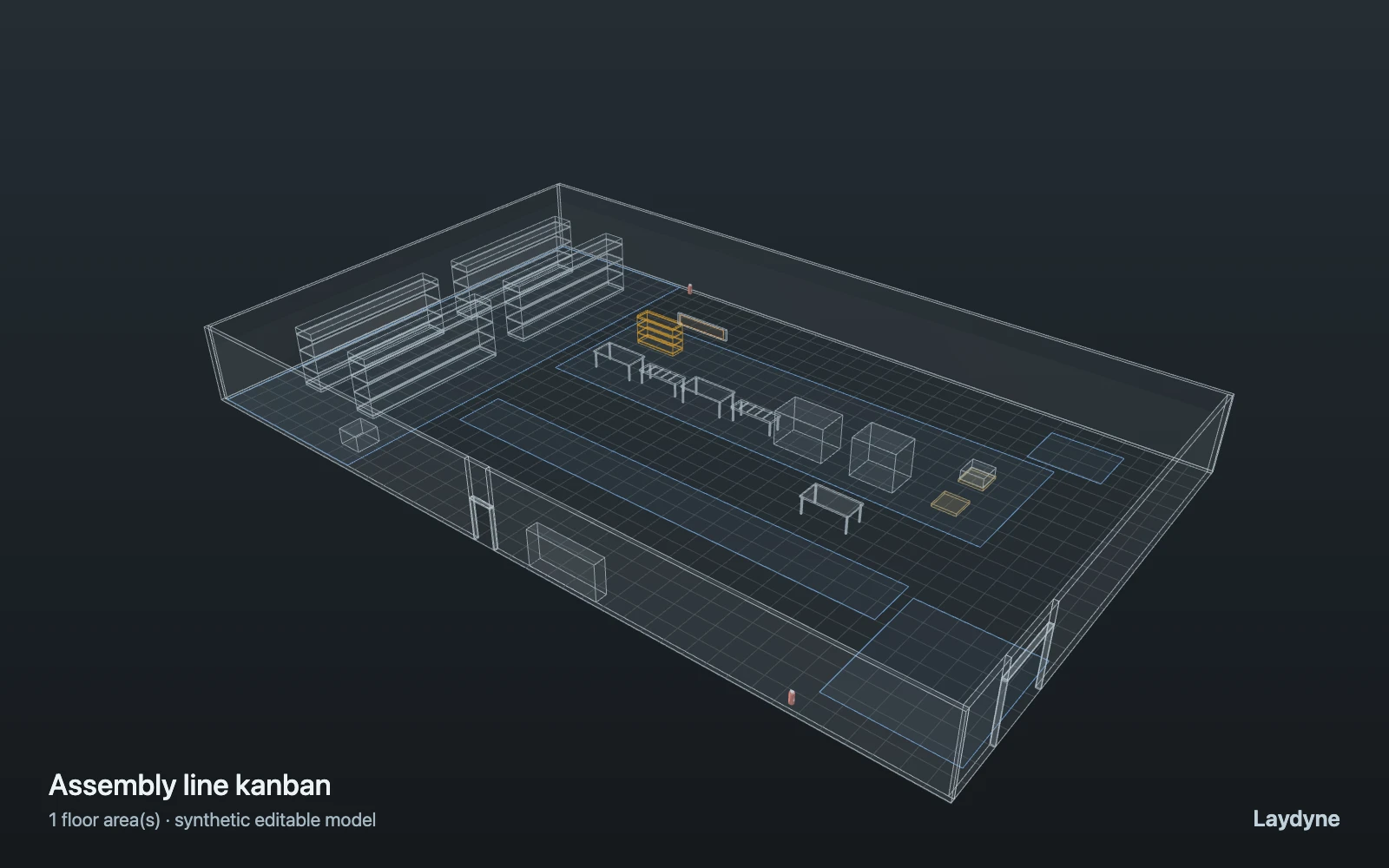
A three-hour shift on an assembly line: 96 units started every 100 s (takt) pass three stations (70–110, 85–125 and 60–100 s) joined by buffer conveyors of 2, then inspection (45 s); 12 % are reworked (2–5 min) and inspected again. Station 1 takes 4 screws a unit from the kanban rack (24 to start, 48 at most); a take that leaves 8 or fewer sends the tugger for a bin of 24 (90 s to pick, 30 s to set down). A unit that finds its buffer full holds its station (blocked); every 4 good units make a pallet the forklift takes to the shipping lane. Operators are the stations themselves; no breakdowns, changeovers, shifts or costs. Figures are assumptions, not measured.
Change one thing
Give the buffers 1, 3 or 4 places instead of 2; lower the kanban point to 4 or 2; shorten the takt to 95 s; or raise the rework to 20 %.
Read the consequence
Station 1 turning red (blocked) while buffer 1–2 is full, the screw level on the kanban rack, and the waits at station 2, the bottleneck. A bigger buffer blocks station 1 less often but, with station 2 the bottleneck, does not finish units sooner; a kanban point of 2 runs out of screws.
View the starting inputs
- Takt: a unit started every (s)
- 100
- Units in the shift
- 96
- Kanban point: screws left when the tugger is sent
- 8
- Screws in a bin
- 24
- Units a buffer conveyor holds
- 2
- Units failing inspection (%)
- 12
Agent counts, routes and resource definitions are also saved in the project JSON.
02 / ACTUAL ENGINE OUTPUT
A reproducible starting result.
Means across 5 runs, seeds 11–15. Observation window 180 minutes.
| Scenario | Completed | Mean wait | Mean cycle | Blocked |
|---|---|---|---|---|
| Original scenario | 136 | 3m 36s | 8m 05s | 0 |
Waiting averages cover arrived jobs, including unfinished waits; cycle averages cover completed jobs only. These are synthetic calculations, not measured store performance, revenue or a safety assessment.
Engine, status and output notes
process-des-2.4.0. Status: Original scenario: completed. “Completed” is the engine run status; check the blocked column for unreachable jobs.
- No engine warnings.
Engine inputs and saved comparisons stay with the downloaded project. Any limited trace affects playback details, not aggregate metrics.
03 / MAKE IT YOURS
Plan in 2D. Inspect in 3D. Keep the whole project.
- Open and adjust. Switch between 2D and 3D; edit a part, a floor or an input. Both views describe the same model.
- Connect your agent for free. Sign in, choose Connect AI and connect Codex or Claude Code. Ask it to inspect the example, edit the layout and check a route.
- Save a checkpoint. Export → Project JSON, or ask the agent to export the complete project. Import it later to restore floors, scenarios, saved comparisons and the selected view.
- Compare with Pro. Run an edited scenario or compare frozen options under the same demand. Pro also adds built-in AI and manual cloud saving.