Retail & venues / WORKED EXAMPLE
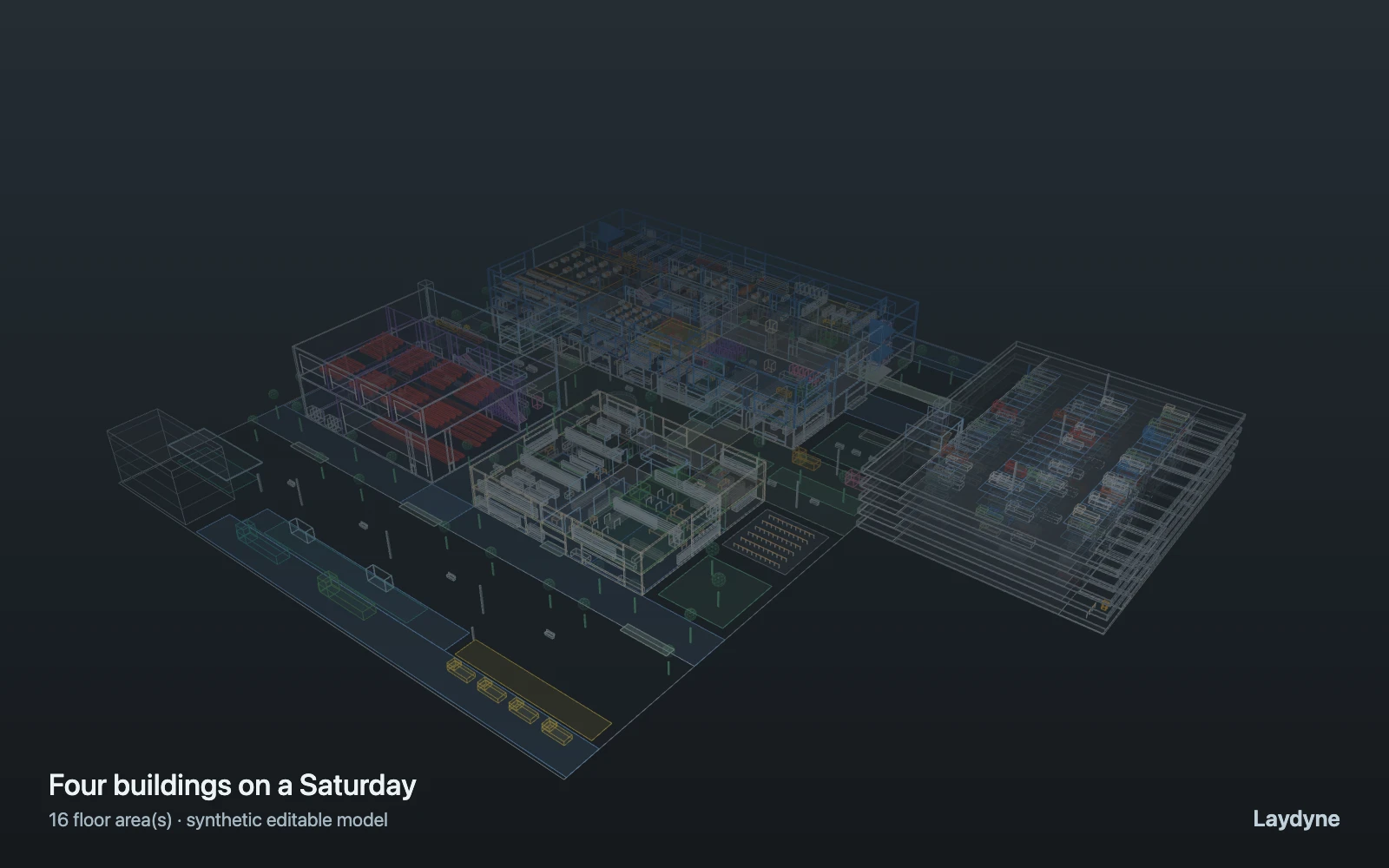
Four buildings on a Saturday
See how a bridge between two buildings changes the plaza and the escalators on a Saturday across four buildings.
Free to open, edit and save a file. Pro to run your changes. Opening a project asks before replacing your current space.
How much does a bridge from the main building’s top floor to the cinema take off the plaza and the escalators, and for which flows?
- Who uses it
- Operations and development teams of multi-building shopping centres
- How it can create value
- Compare people on the plaza, escalator trips and walking times with and without the bridge before committing to it, and see which flows (film audiences, upper car-park decks) depend on it. Fewer people on the plaza or shorter walks do not establish extra sales; weigh them against the cost of the bridge and your own targets.
- Bring your site data
- Visitor counts by hour and entrance (car-park decks, station, bus), the share visiting each building and the cinema, show times and audience sizes, measured walking and escalator speeds, and stall service times. How people choose between a bridge and the plaza needs observation; here it is set by weight.
01 / SETUP
A model you can inspect.
A Saturday afternoon across a main building, an annex, a cinema and a five-deck car park joined by a plaza, bridges and ramps. Visitors arrive by car on any deck (poisson, 320 per hour for 15 minutes), by train (three trains of 10) or bus (two of 6) at the station forecourt, and step-free from the accessible bays (24 per hour, by lift). Shoppers visit 1–3 shops of the main building, 1–2 of the annex or some of each (a shop is picked at random within one building: a tag narrowed by structure), pay, perhaps eat in the food court (the first free of four stalls, else the one with the fewest waiting; exponential cooking time, mean 90 s) and go back to a car or the station. A quarter shop in the main building first, then cross to the cinema for the next show: the box office (2 windows), perhaps concessions (2 tills), a seat in screen 3. At 12 minutes an earlier film lets 44 people out of screen 4 to the food court, the car park or the station, and two porters take goods from the loading dock to the annex stockroom and the stalls. Cinema trips take the L3 bridge or go round by the plaza by weight: 0 to 100 stands for the site without the bridge. Walking, fixed capacities and FIFO queues only: no crowd physics, balking, queue switching, lift cars, group visits or sales.
Change one thing
With the same visitors and seed, set cinema trips by the L3 bridge to 0 and round by the plaza to 100: the site without the bridge (the connection stays; every cinema trip goes by the ground floor). Then try 50 and 50.
Read the consequence
People on the plaza promenade over time, trips on the main building’s and the cinema’s escalators, how long the film audience takes, and the queues at the food stalls and the box office. Sales, balking and physical crowding are not modelled.
View the starting inputs
- Visitors by car per hour
- 320
- Visitors per train
- 10
- Audience leaving screen 4 at 12 min
- 44
- Mean cooking time at a stall (s)
- 90
- Cinema trips by the L3 bridge (weight)
- 100
- Cinema trips round by the plaza (weight)
- 0
Agent counts, routes and resource definitions are also saved in the project JSON.
02 / ACTUAL ENGINE OUTPUT
A reproducible starting result.
One run, seed 3. Observation window 60 minutes.
| Scenario | Completed | Mean wait | Mean cycle | Blocked |
|---|---|---|---|---|
| Original scenario | 192 | 1m 27s | 13m 28s | 0 |
Waiting averages cover arrived jobs, including unfinished waits; cycle averages cover completed jobs only. These are synthetic calculations, not measured store performance, revenue or a safety assessment.
Engine, status and output notes
process-des-2.2.0. Status: Original scenario: completed. “Completed” is the engine run status; check the blocked column for unreachable jobs.
- No engine warnings.
Engine inputs and saved comparisons stay with the downloaded project. Any limited trace affects playback details, not aggregate metrics.
03 / MAKE IT YOURS
Plan in 2D. Inspect in 3D. Keep the whole project.
- Open and adjust. Switch between 2D and 3D; edit a part, a floor or an input. Both views describe the same model.
- Connect your agent for free. Sign in, choose Connect AI and connect Codex or Claude Code. Ask it to inspect the example, edit the layout and check a route.
- Save a checkpoint. Export → Project JSON, or ask the agent to export the complete project. Import it later to restore floors, scenarios, saved comparisons and the selected view.
- Compare with Pro. Run an edited scenario or compare frozen options under the same demand. Pro also adds built-in AI and manual cloud saving.