Put two layouts in the same view and read the difference in numbers
Layout options live in one project as saved layouts; Laydyne shows two of them from the same viewpoint, lists what was added, removed or moved, and sets their floor area, zones, desks and seats side by side with the difference.
How to use it
- Open the office comparison: layout A, the existing 80-desk floor, and R02, the client’s revision, open together without sign-in or AI connection.
- Read the table under the two views: floor area, zoned area, zones, desks and seats of both layouts and the difference. Every figure comes from the same quantity functions as the Quantities panel and
get_space_quantities. - Ask your AI for
compare_areasbetween two saved layouts: it lists the parts added, removed and moved and the difference in area, seats and fixtures;get_view_setdraws the same views of every saved layout. - Save the comparison view with its layouts and viewpoint; it reopens with the project, and the saved layouts stay editable.
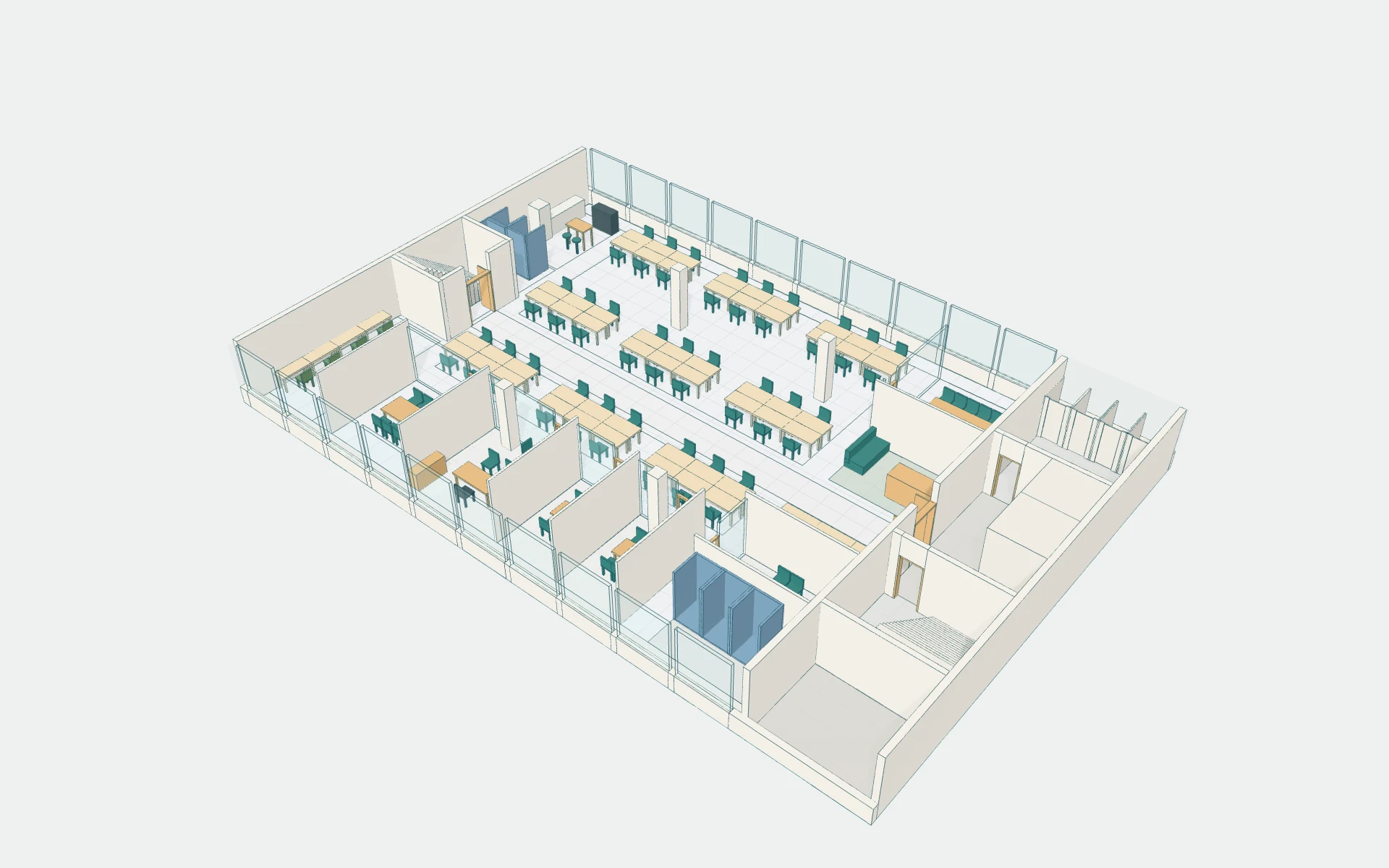
What the published records produced
The office record keeps five saved layouts in one project: A with 80 fixed desks; B with 54 shared desks, six meeting rooms, six phone booths and seven focus seats; the client’s revision R02; and two 48-desk variants, with the change drawings between them. The six-layout record takes the same floor towards quiet work, teamwork, private studios, a client forum and window-side desks.
- Change an existing office layout, compare the options and issue the revised drawings
- Editable project with A, B and R02 (JSON)
- One office, six layouts
- Window work + commons: plans (PDF)
- More shelves, narrower aisles: compare a two-level store before committing
These recorded projects use synthetic inputs. Photos and drawings show what was produced; site accuracy, business effects and photorealistic reconstruction are not established.
What it does not do
- The attendance, meeting and call patterns are synthetic. People walk circular routes without avoiding each other, meeting attendees do not reserve rooms, and the geometry checks do not establish fire or accessibility compliance. Furniture counts are drawn parts, not procurement quantities or prices. A different office needs its own inputs and its own comparison.
- A seating row or a bench is one part, not its capacity, so the seat figure is a part count, not a headcount; the model records no room type, so meeting rooms and offices are not told apart in the table.
Price
Building and editing the model with your own AI over MCP, route checks, saving in this browser and JSON import and export are free, with no count limit; a free account is needed only to create an MCP link (3 per account). Running simulations, the built-in AI and cloud saving need Pro ($29 a month or $278.40 a year) or Max ($89 a month or $854.40 a year). Prices are in US dollars before tax; your AI provider bills its own usage separately.
Common questions
- Do I need an account to open a comparison?
- Open the office comparison: layout A, the existing 80-desk floor, and R02, the client’s revision, open together without sign-in or AI connection.
- What does the comparison count?
- Read the table under the two views: floor area, zoned area, zones, desks and seats of both layouts and the difference. Every figure comes from the same quantity functions as the Quantities panel and
get_space_quantities. - Are the furniture counts procurement quantities?
- The attendance, meeting and call patterns are synthetic. People walk circular routes without avoiding each other, meeting attendees do not reserve rooms, and the geometry checks do not establish fire or accessibility compliance. Furniture counts are drawn parts, not procurement quantities or prices. A different office needs its own inputs and its own comparison.
- What does it cost, and what is free?
- Building and editing the model with your own AI over MCP, route checks, saving in this browser and JSON import and export are free, with no count limit; a free account is needed only to create an MCP link (3 per account). Running simulations, the built-in AI and cloud saving need Pro ($29 a month or $278.40 a year) or Max ($89 a month or $854.40 a year). Prices are in US dollars before tax; your AI provider bills its own usage separately.